The first ~52 minutes of progression: action order, prices, before/after states, and dependencies between stages. Part A — chronology; B — systems and economy; C — HUD and menu structure; D — SFX/VFX/animation by interaction; E — what to take into development.
3,418
CCU (API snapshot)
94.8%
rating
1.4M
visits
~2 mo
age
#20
Up-and-Coming
6
players/server
Airport Tycoon! · placeId 138486812747835 · Simulation / Tycoon · All Ages · created 2026-05-29 · Update 1: Totems · first ~52 minutes of progression.
00
Metadata and market snapshot
Metrics
CCU snapshot 3,418; rating 94.8% (7.3K 👍 / 397 👎); visits 1.4M; favorites 11.2K; server 6 players; Maturity All Ages. Created 2026-05-29, updated 2026-07-29.
Trend
Up-and-Coming #20 on 2026-07-30.
Rules and permanent bonuses. Offline earnings; autosave; airport building, passenger service, planes and destinations; +10% to everyone per friend; Premium/Plus: +15% money / +15% luck; Like + Join Group: $1,000; Update 1: rebirth unlocks Totems. The page separately shows a future Terminal 2 event with Notify Me.
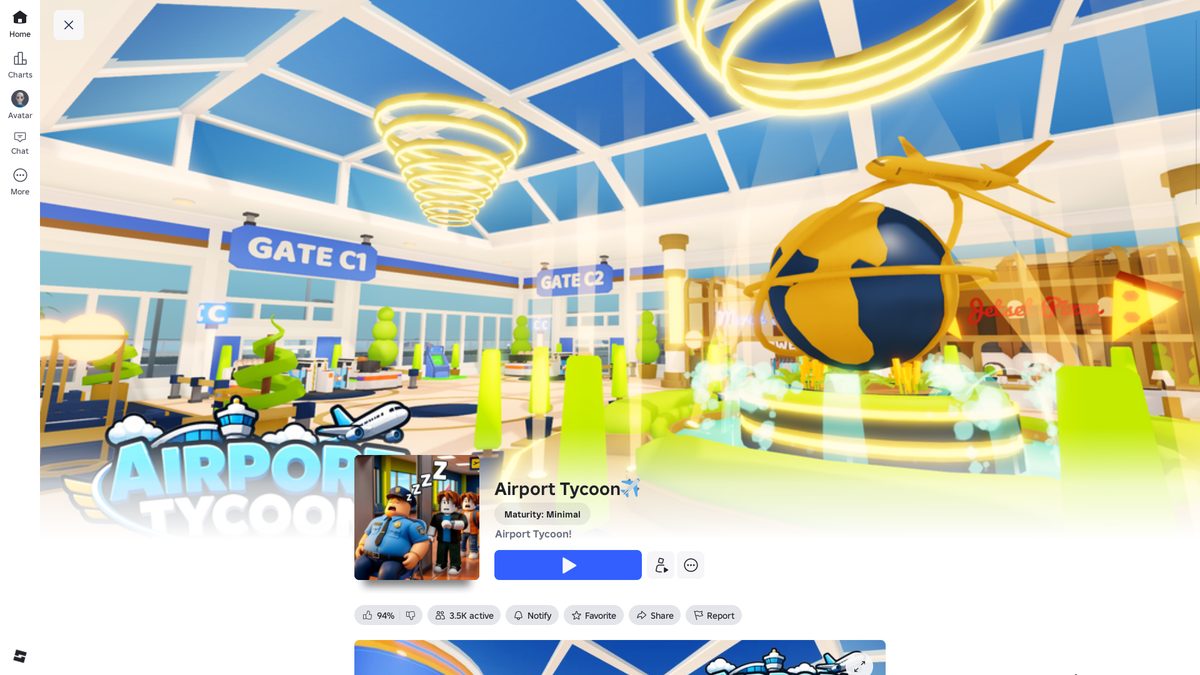
Game page. Interior with gates C1/C2 and a globe with a plane. Offline earnings and autosave stated.
Part A
Progression chronology
Stages in the real order of the run. Marked zone-progress checkpoints: 19% → 66% → 68% → 92% → 95% → 100%.
A1
Loading and intro cinematic
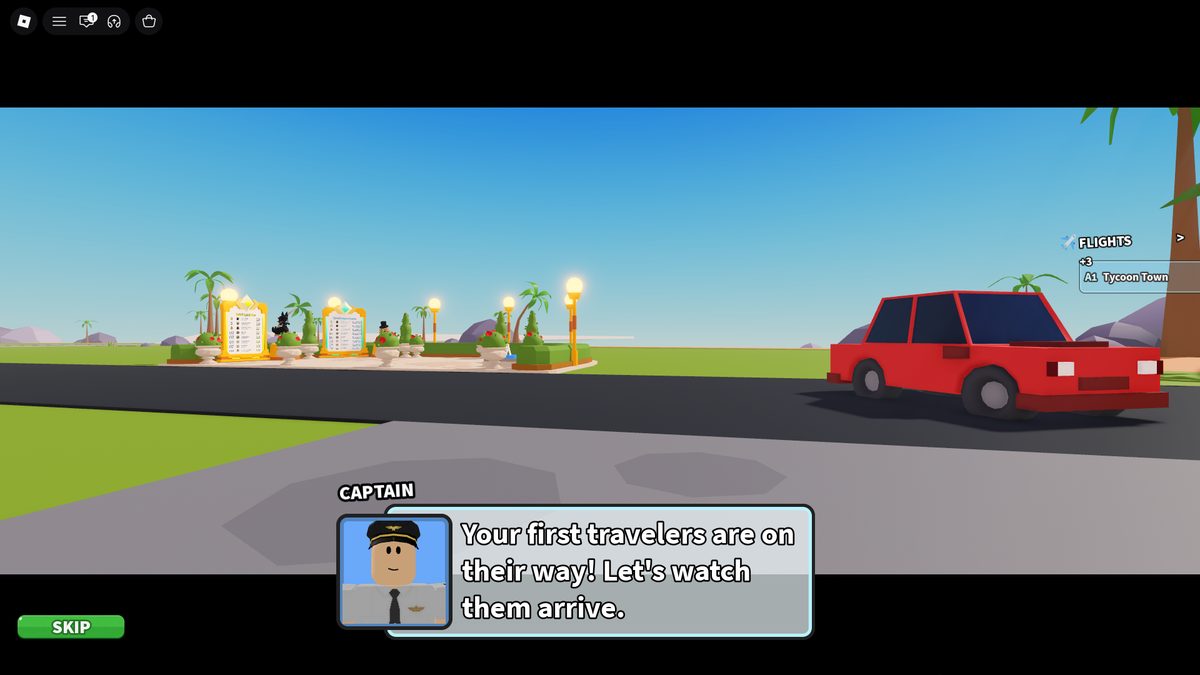
Loading screen: plane on the runway, moving clouds, a changing loading-stage caption, a progress bar, a Skip button; after loading — Play. Intro cinematic (after Play): a plane flies off → a car pulls up to the terminal → the first passengers get out → Captain appears with lines → the camera shows the start of the NPC route; the scene can be skipped. Passengers don't spawn inside the building — the NPC source is arriving cars (they keep pulling up throughout the progression).
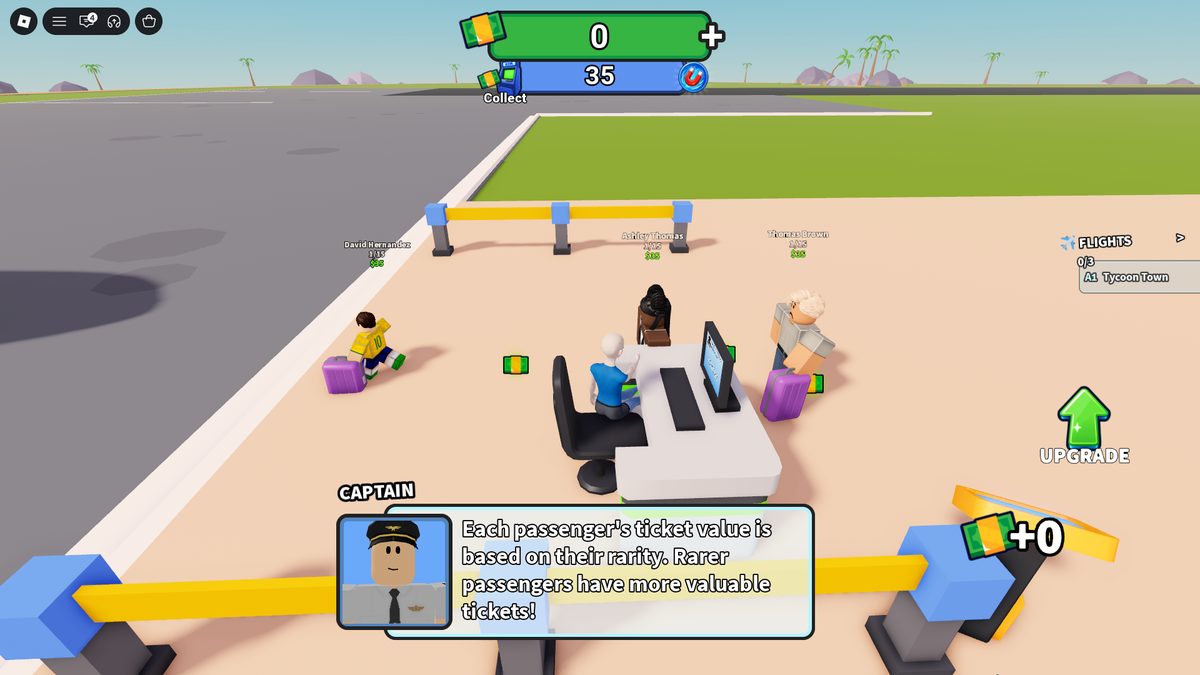
~03:01 — Captain. "Your first travelers are on their way!" A car at the terminal, FLIGHTS panel on the right (A1 Tycoon Town).
A2
Manual onboarding: Security and Gate Desk
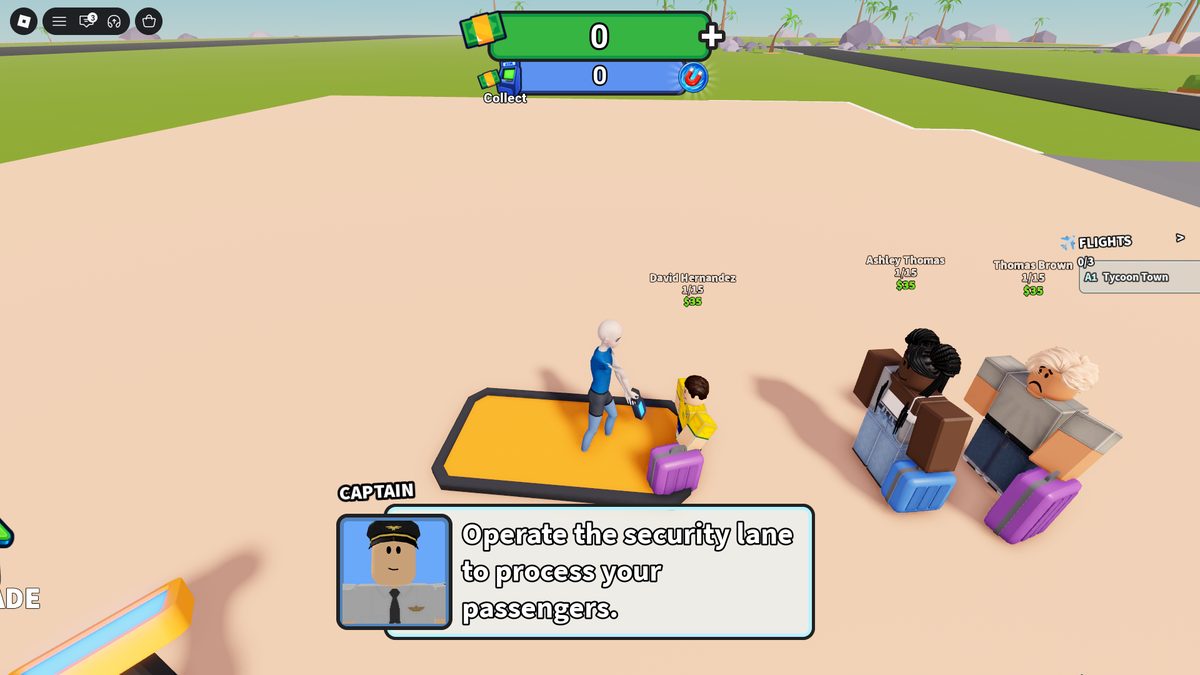
Security Lane (manual): the tutorial leads to the lane; a passenger stands on the check point → the player walks up → interaction via E → metal-detector animation → the passenger leaves the lane. Gate Desk (manual): after the message "All passengers cleared security" the player walks to the desk → starts processing via E → a "typing on the computer" animation → the passenger goes to boarding. After both operations the tutorial shows 3/3 tasks.
~03:38 — manual Security. The player scans a passenger with a metal detector; above the passenger — a name and $35.
A3
First income and the ATM
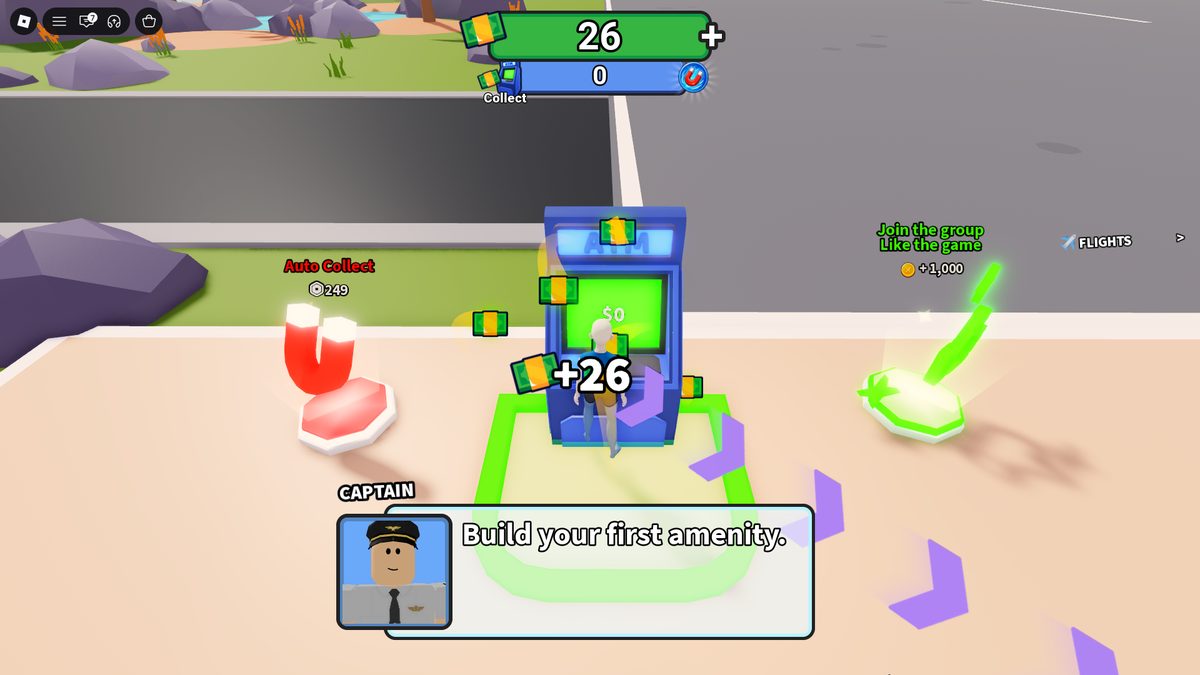
The first 3 passengers give 3 × $35 = $105. The money isn't in the wallet immediately: the HUD has two balances — green (available to spend) and blue (pooled in the ATM). The player walks to the ATM → the amount is visible → cash packs fly to the HUD → the green balance grows → the ATM pool drops. Next to the ATM: Auto Collect R$249 (magnet) and Like + Join Group → +$1,000.
~04:55 — ATM. Green/blue balances, Collect button; Auto Collect magnet and the Like+Group offer.
A4
First income building and free automation
Purchase / event
Price
State before → after
Vending Machine 1
$0
no income → passengers leave money in the ATM; badge awarded; new buttons open
Gate Desk L1 → L2
$0
manual boarding → an NPC sits at the desk, boarding automatic
Security Lane L1 → L2
$0
manual check → a staffer on the lane, checks automatic
Before purchase the Vending model is shown translucent; on activation the parts fly into place (it doesn't appear whole instantly). The game first shows both operations manually, then hands them to NPCs for free.
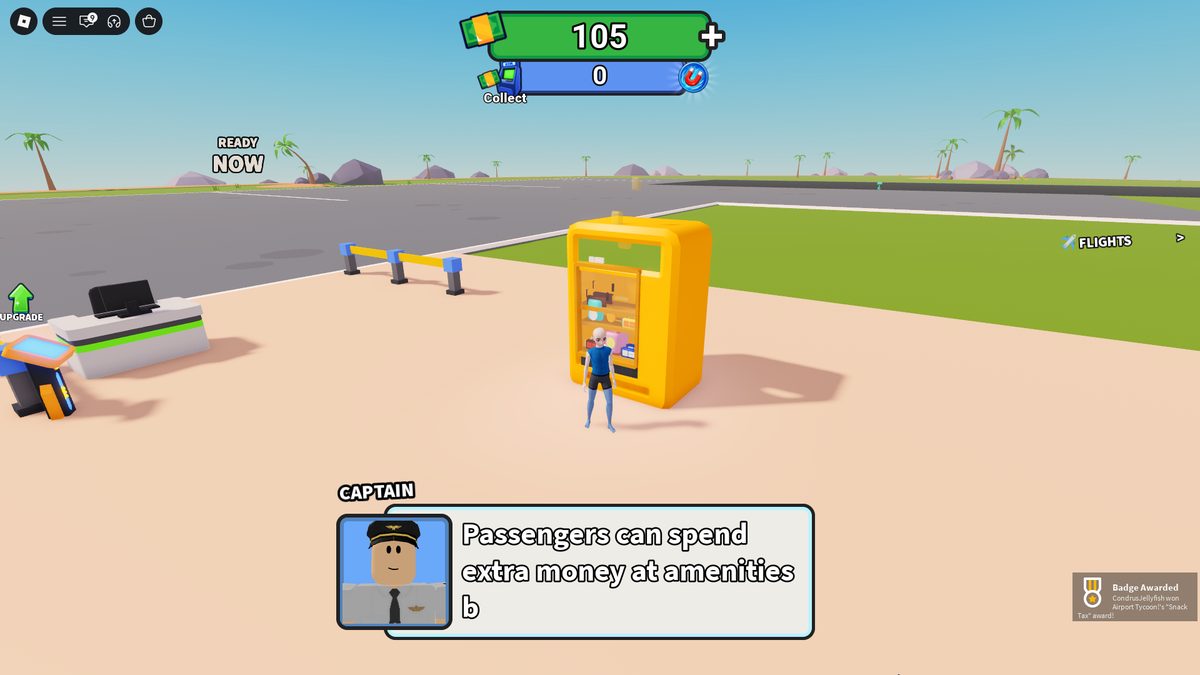
~05:38 — Vending Machine 1 ($0). The first income point. "Passengers can spend extra money at amenities".
A5
Daily Reward and first paid purchase
Daily Rewards opens, Day 1 = $300 (a separate reveal animation). The next Vending Machine 2 = $70 — the first mandatory paid income building. Offers appear at the same time: Speed Boost R$9, Starter Pack R$49 ($2,000 + 2X Money Boost + 3X Luck Boost + Faster Passengers), a Starter Pack timer ~20 minutes on the right.
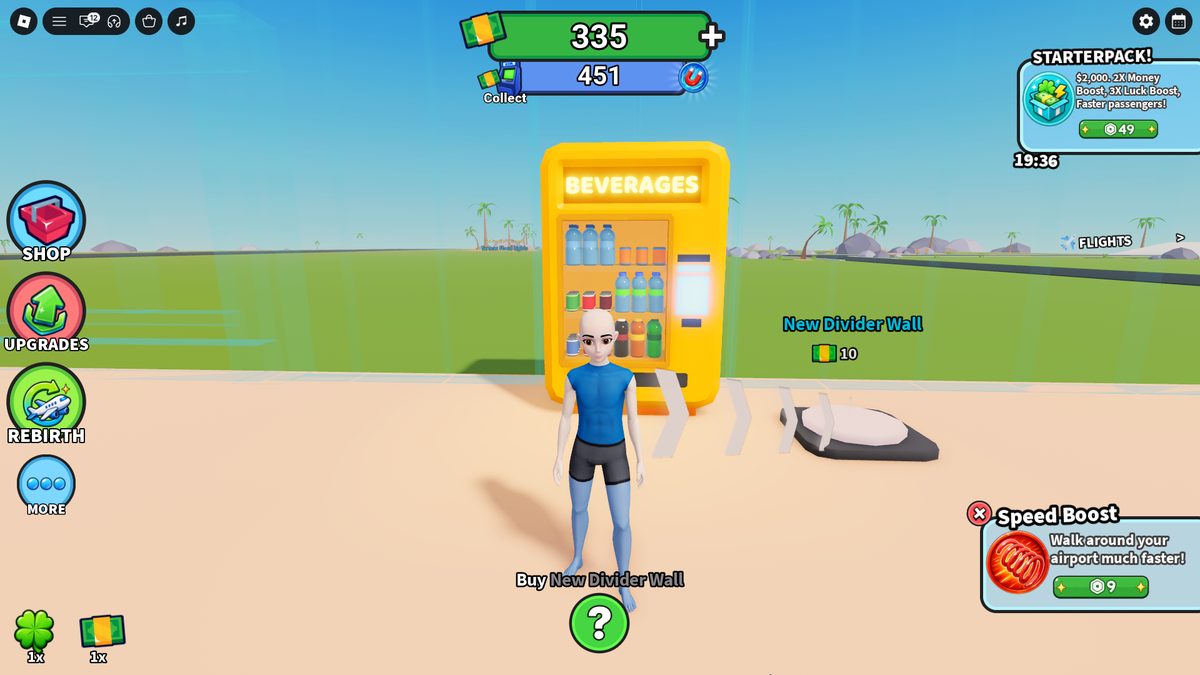
~07:45 — rail and offers. Left: Shop / Upgrades / Rebirth / More + Luck and Money multipliers (1x). Right — the timed Starter Pack R$49.
A6
Regular building ($10) and the first trash spawn
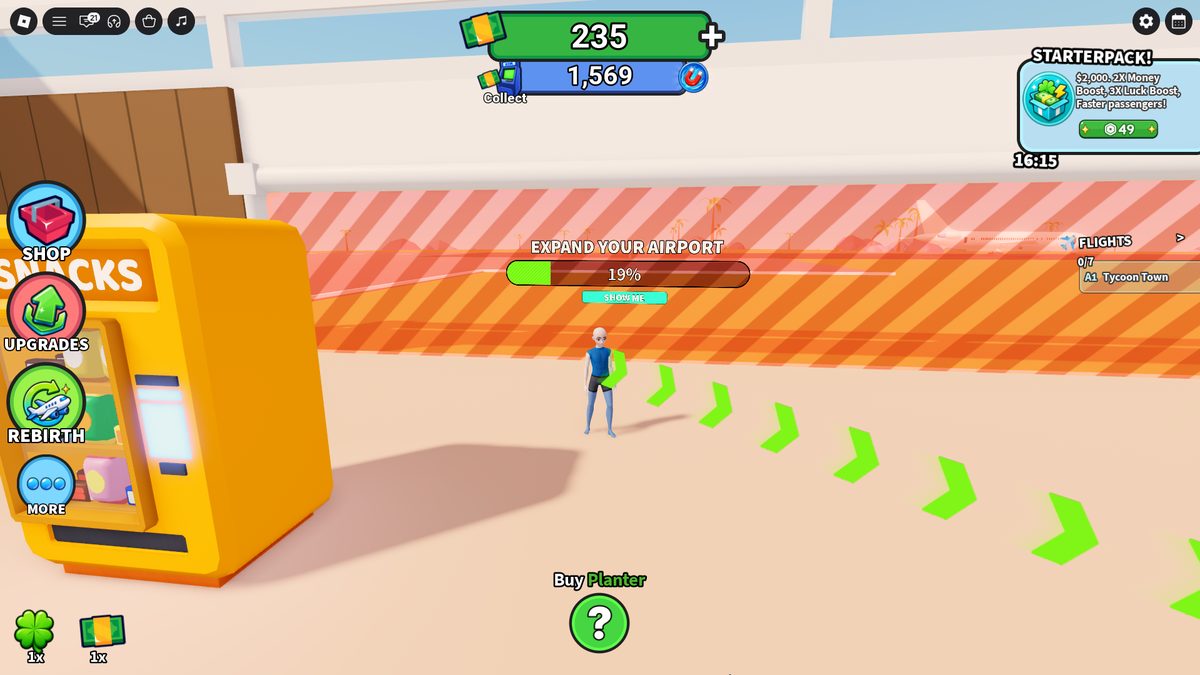
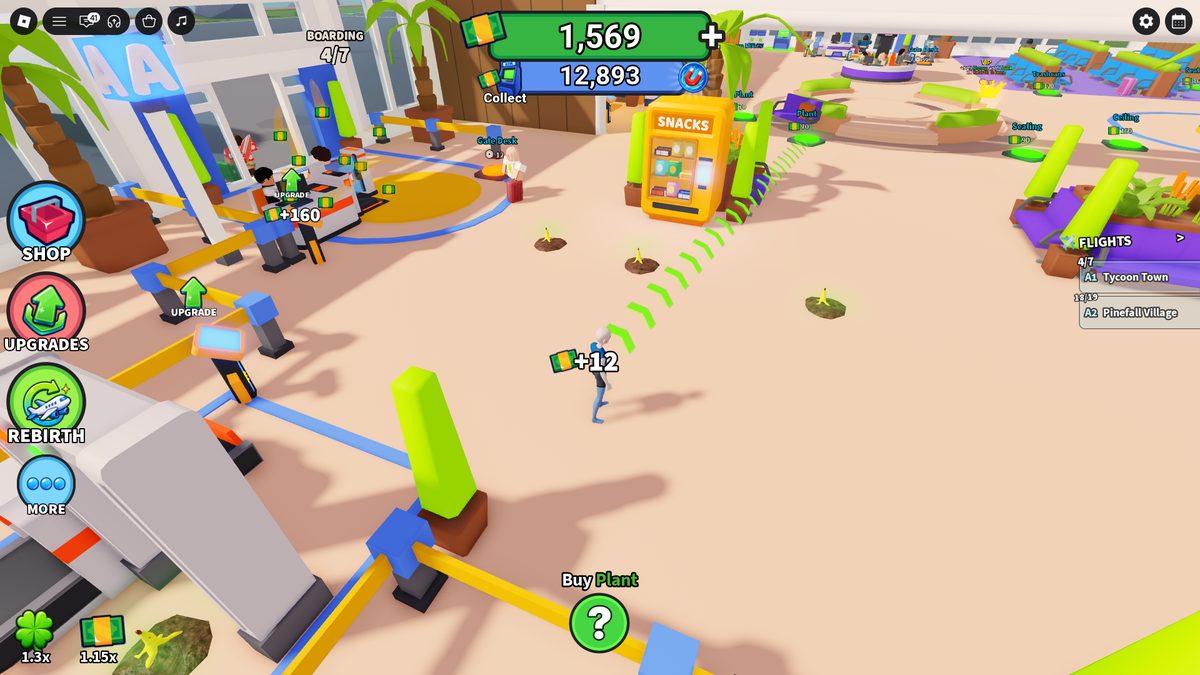
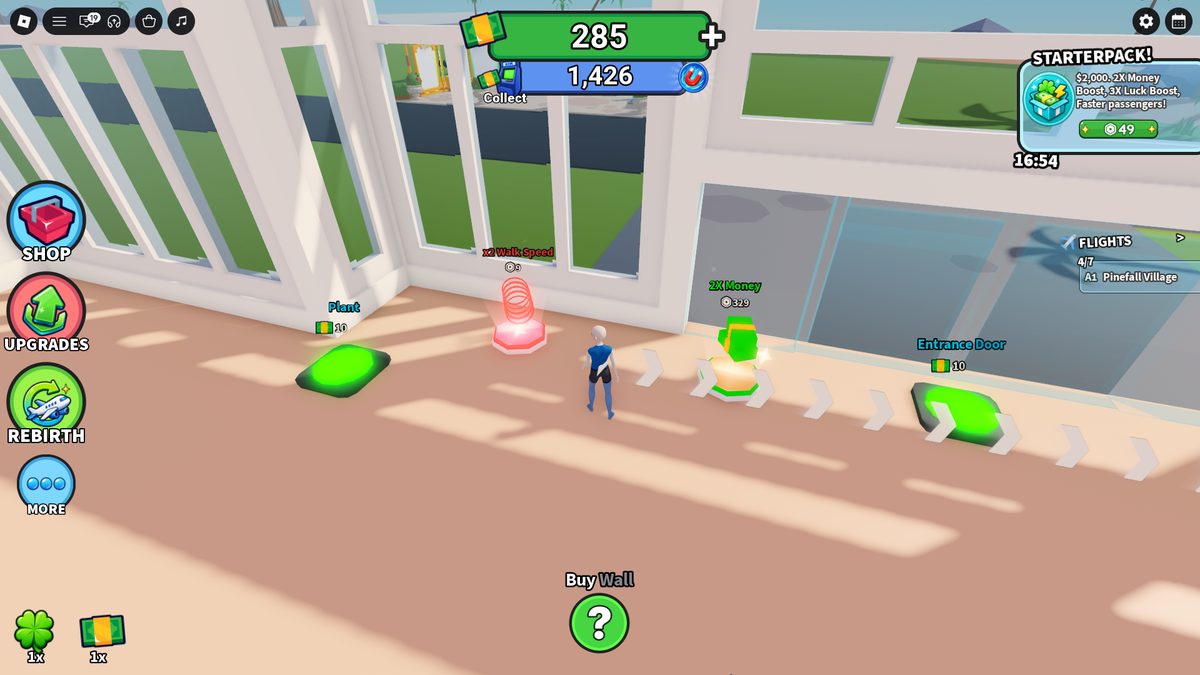
The tutorial ends, but green arrows keep leading to the mandatory next button. Early buttons cost $10: after Walls ×several the player sees Planter and Seating but defers them and follows the arrow to Gate Sign → Carpet → Trash Can → Bush → Seating ×2 → Entrance Door; then returns to the skipped objects to fill the zone %. Each purchase: translucent model → step on it → deduction → parts fly in → child buttons open → "Expand Your Airport %" rises. At 19% Show Me still gives no visible result. Full purchase order — §B4.
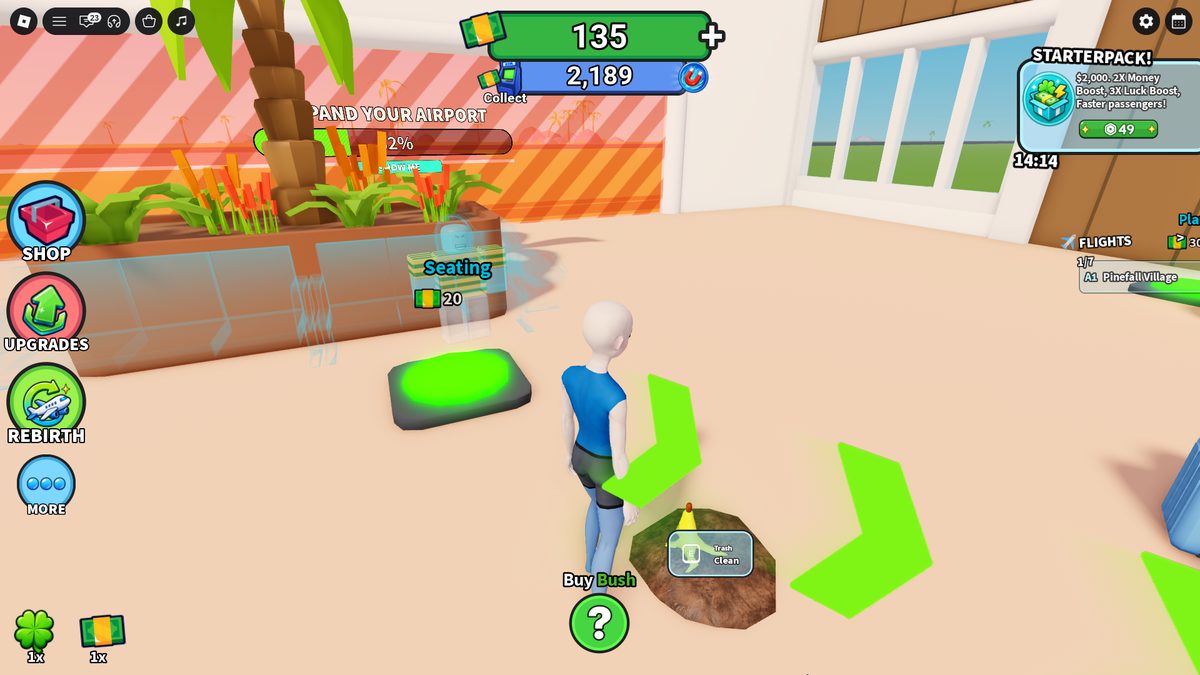
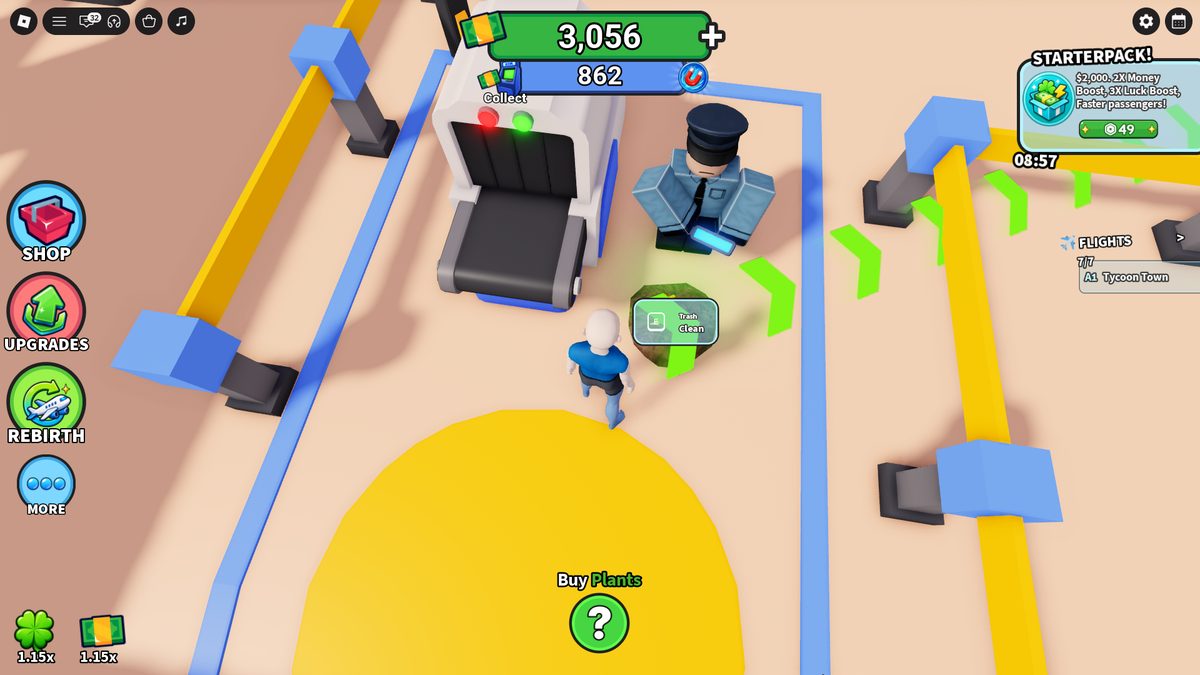
Build loop. Early decor at $10, zone progress bar, SHOW ME. A build is a "ghost" before purchase.~12:56 — first trash spawn. A separate entity: a dirt patch + banana peel; interface E / Trash / Clean. Seating $20 nearby. Trash isn't tied to the queue and isn't decor.
A7
First big ATM collect and alternating prices
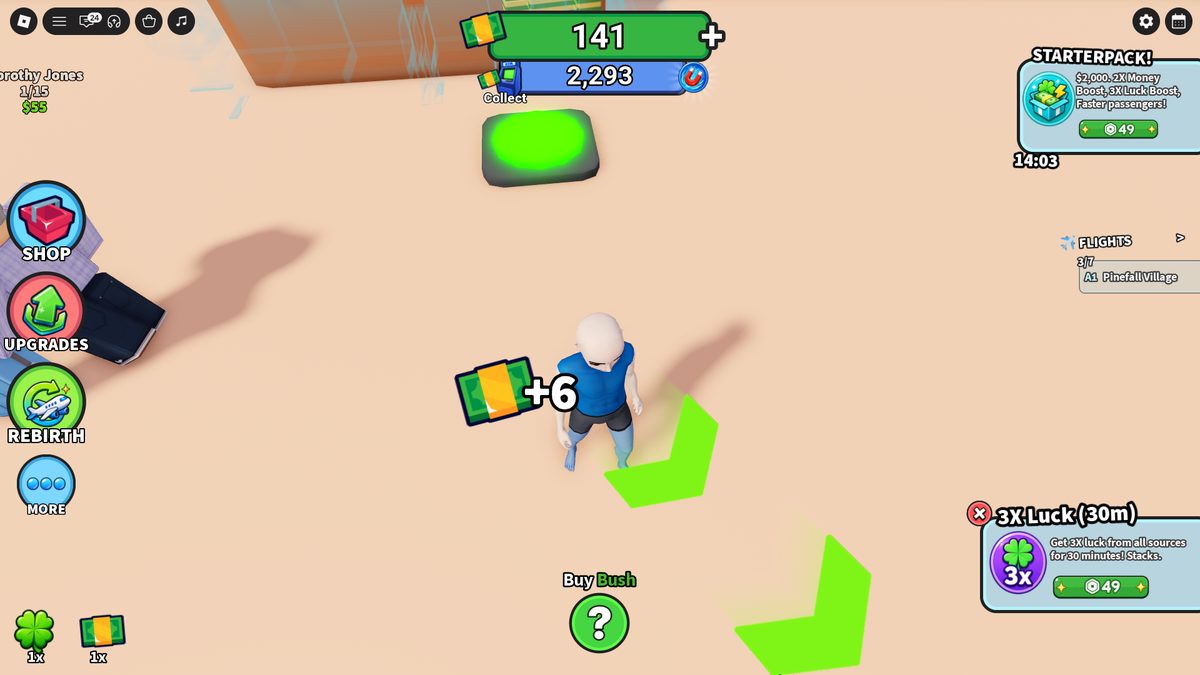
By ~15:41 the ATM holds about $3,000. The wallet may be short of a build even though the sum is already in the ATM — the game nudges you to collect the ATM, buy cash for Robux, or get Auto Collect. After a manual collect it all flies into the green balance. Prices then don't rise continuously: Lamp $20, Plants $20, but some following Plant is still $10, then $20 again. Within one zone $10 and $20 alternate. Cleaning trash by holding E gives +$6.
Cleanup = +$6. "+6" above the player after Clean. On the left, above a passenger: Dorothy Jones 1/15 $55. Bottom — a 3X Luck (30m) R$49 offer.
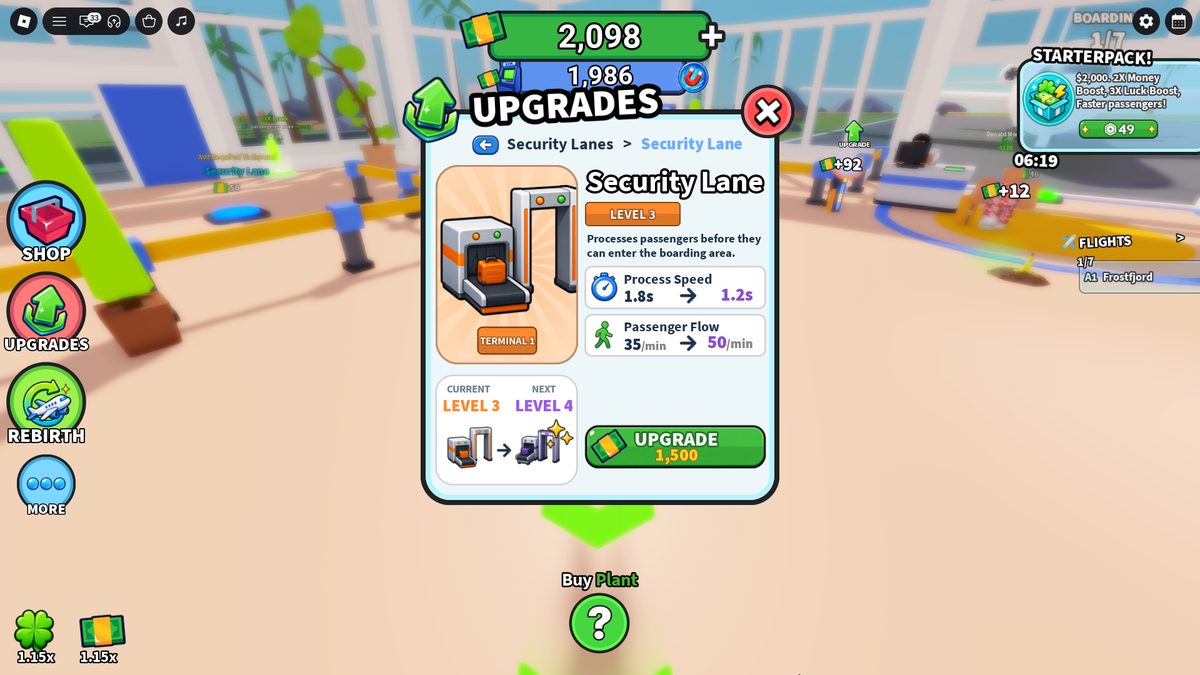
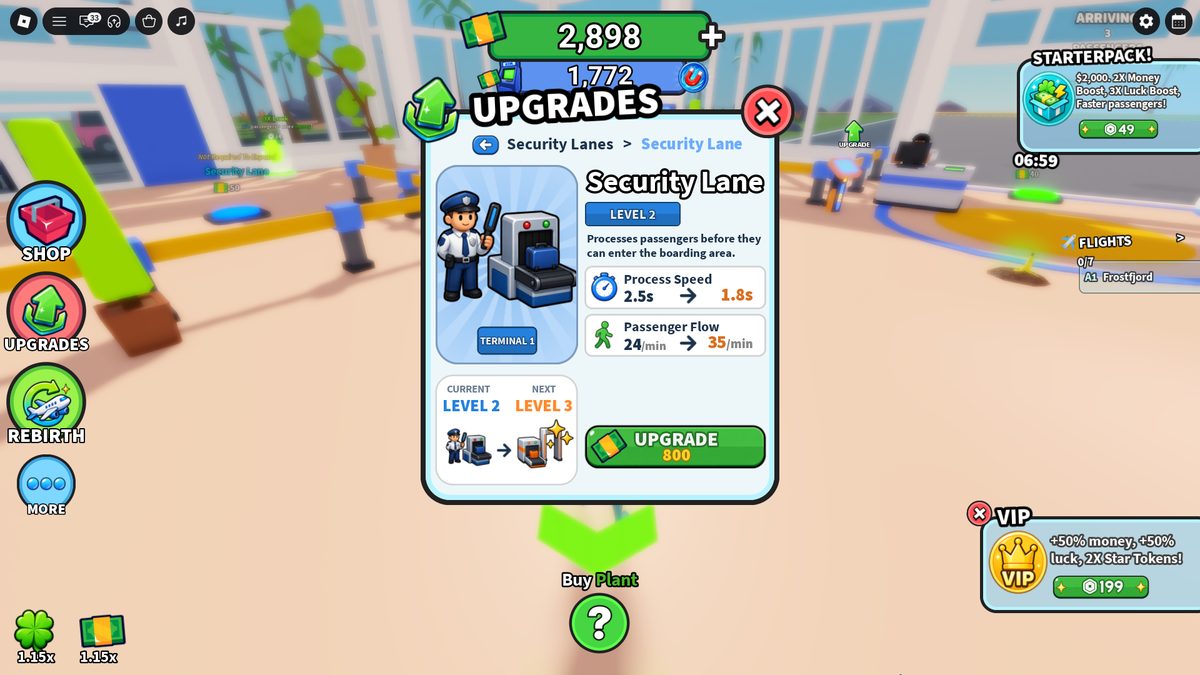
At 66% → 68% Show Me starts highlighting the remaining mandatory buttons. Throughput upgrades (full matrices — §B3): Security L2→L3 $800, L3→L4 $1,500; Gate Desk L2→L3 $370, L3→L4 $800, L4→L5 $1,300. Runway is already available: L1→L2 $2,500 (respawn 12→11.4s) — deferred. The Amenities upgrade section is still empty (Café/Boba not built yet).
Security L3→L4. 1.8→1.2s, 35→50/min, $1,500; the equipment model changes.Trash by Security. A Clean pile appears next to a functional node (conveyor + officer) — confirms the spawn isn't tied to one point.
A10
Completing zone 1 — Expand $350
Late zone-1 buttons: Crosswalk $20, Parking Lot $20, Plants $30, Trash Cans $30, Extra Gate Desk Tier 1 R$12 (an orange Robux button, optional), Gate Door $40, Exterior Lamps $10, Plants $20, Gate Post $40. At 100% a yellow Expand $350 button appears → badge + a short victory sound → a new area opens, arrows lead to the next gate.
A11
Zone 2: Gate A2, Information Desk, money buildings
Purchase
Price
State after
Gate Desk + ATM
$100
combined purchase: a new gate + a collection point for the shared ATM pool
passenger spend points; purple highlight = money building
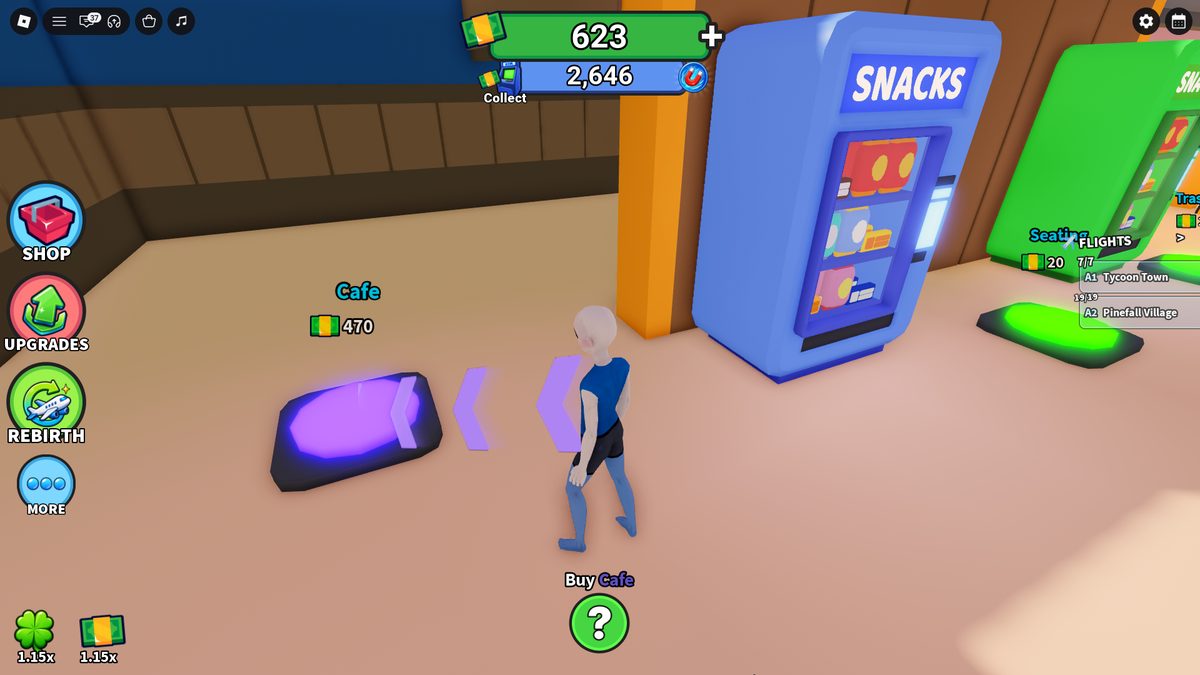
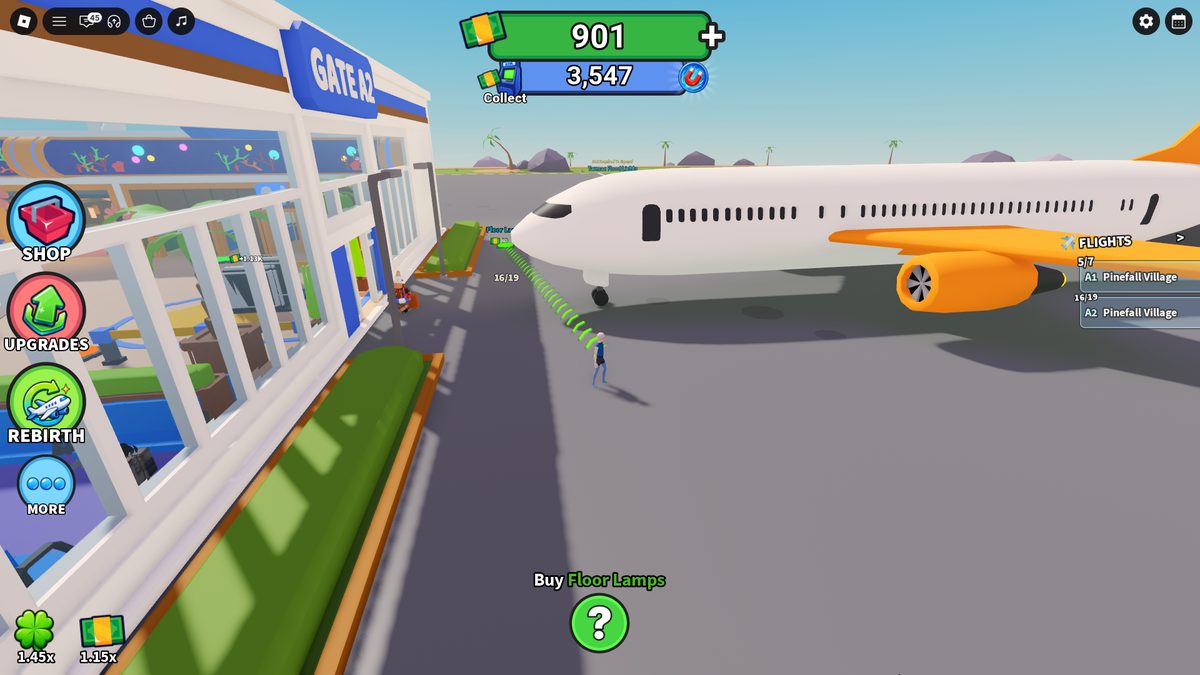
Money building. Café / Blossom Boba $470 (purple highlight). Upgrade matrix — §B3.Flight A2. Boarding X/19; at 19/19 the plane taxis to the runway. FLIGHTS: A1/A2 run at once with separate counters.
A12
Luck decor, trash accumulation, second Security and the janitor
Luck decor (order): Seating $20, Trash Cans $20, Aquarium $20, Carpeting $40, Seating $80; some Seating is marked with a clover icon and gives +5% luck. Then Interior Lamp $50, Fountain Circle $50, Carpeting $80, Exterior Lamp $80, Seating $90. Fountain $470 gives +10% luck. The multiplier rises 1.15 → 1.20 → 1.25 → 1.30 → later 1.45x. By 39:43 the ATM holds $15,415 — one collect covers several expensive upgrades.
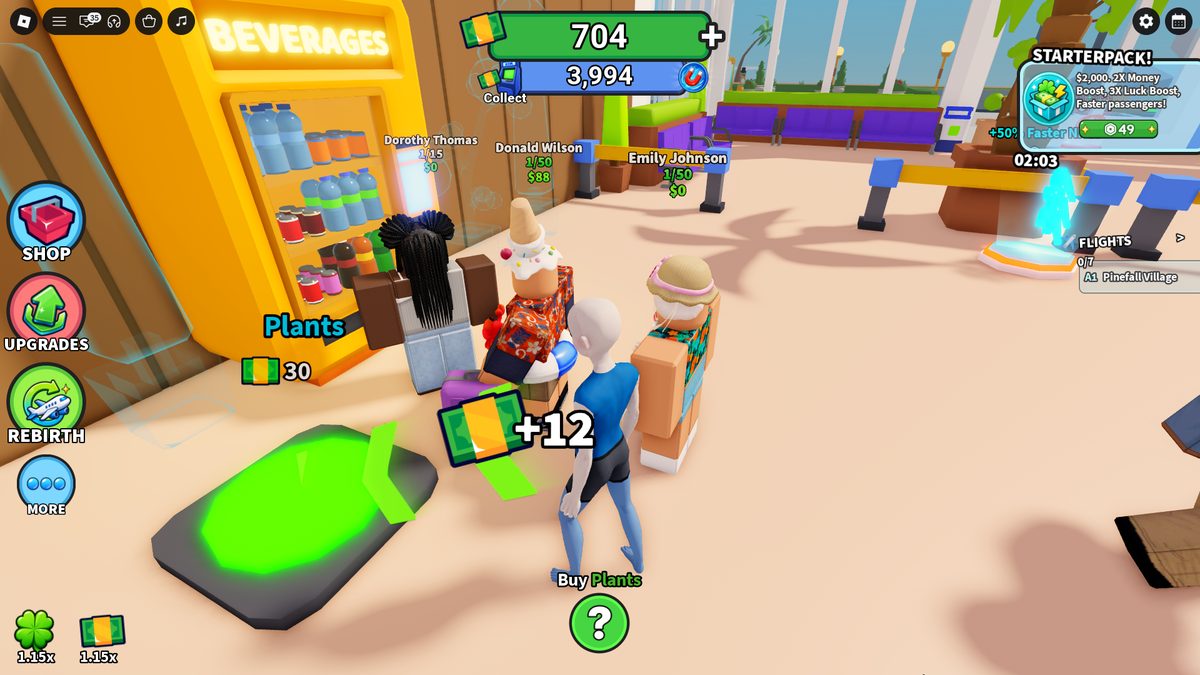
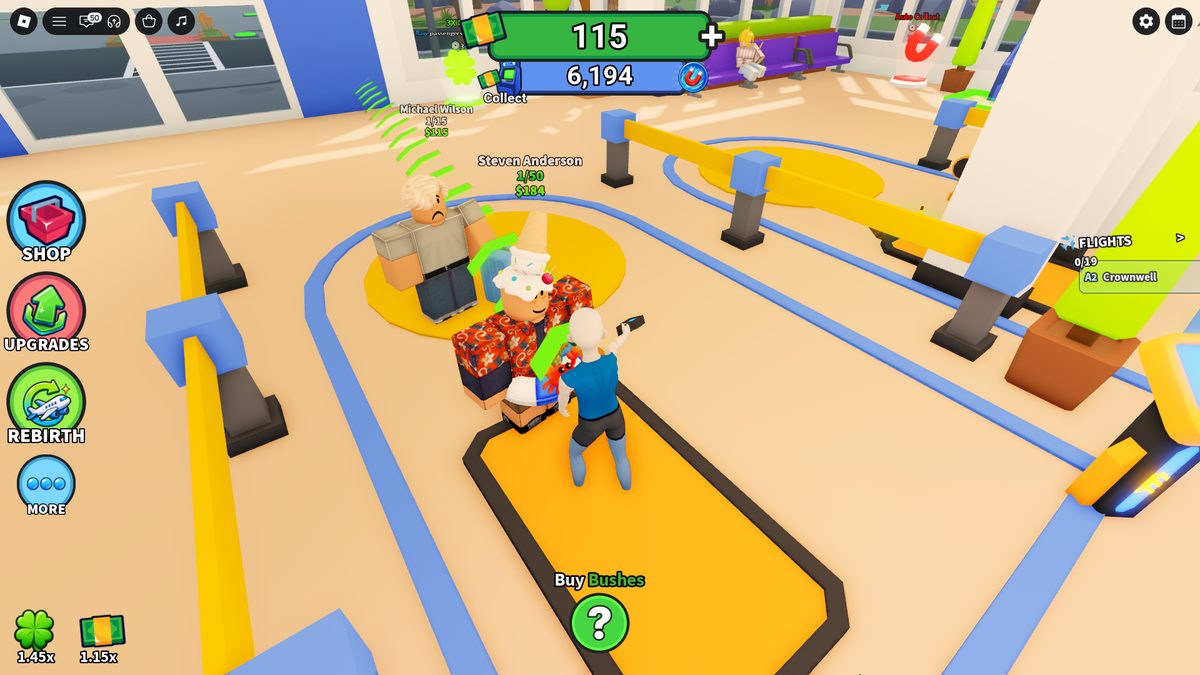
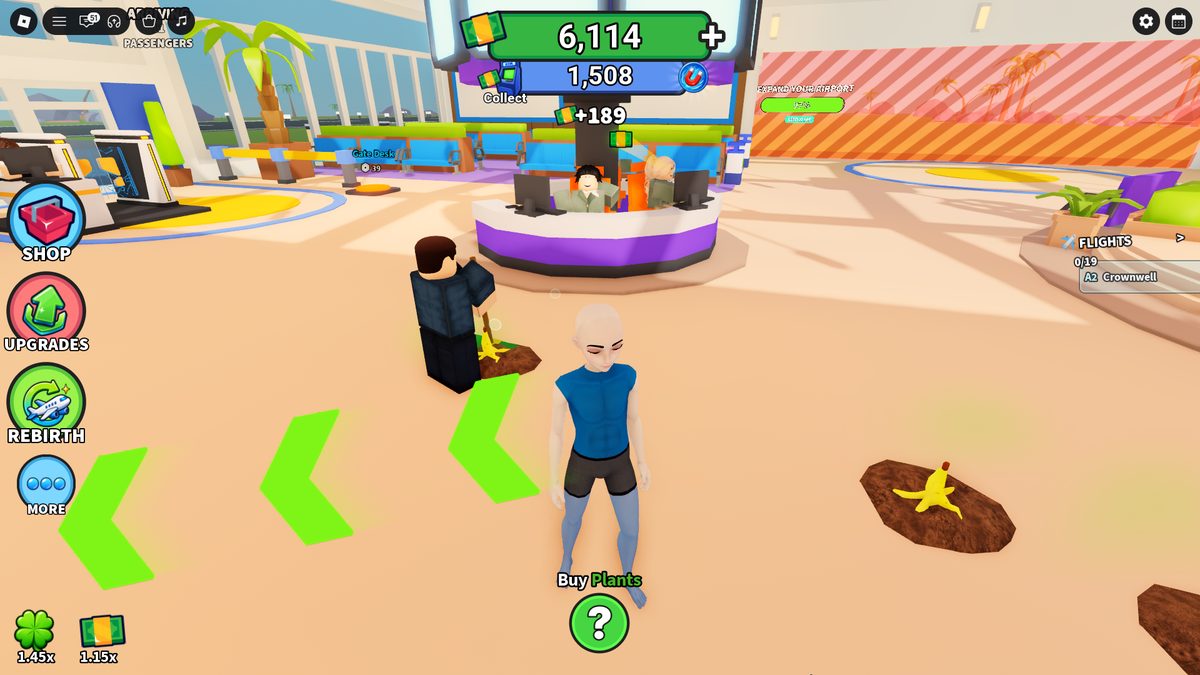
Passengers + a queue at Beverages.Dorothy Thomas 1/15 $0, Donald Wilson 1/50 $88, Emily Johnson 1/50 $0. Passenger value varies, and $0 occurs.~37–38 min — trash accumulation. Several piles at once in one area (banana on dirt). Buying Trash Cans did not stop the spawn. A2 Pinefall Village 18/19.
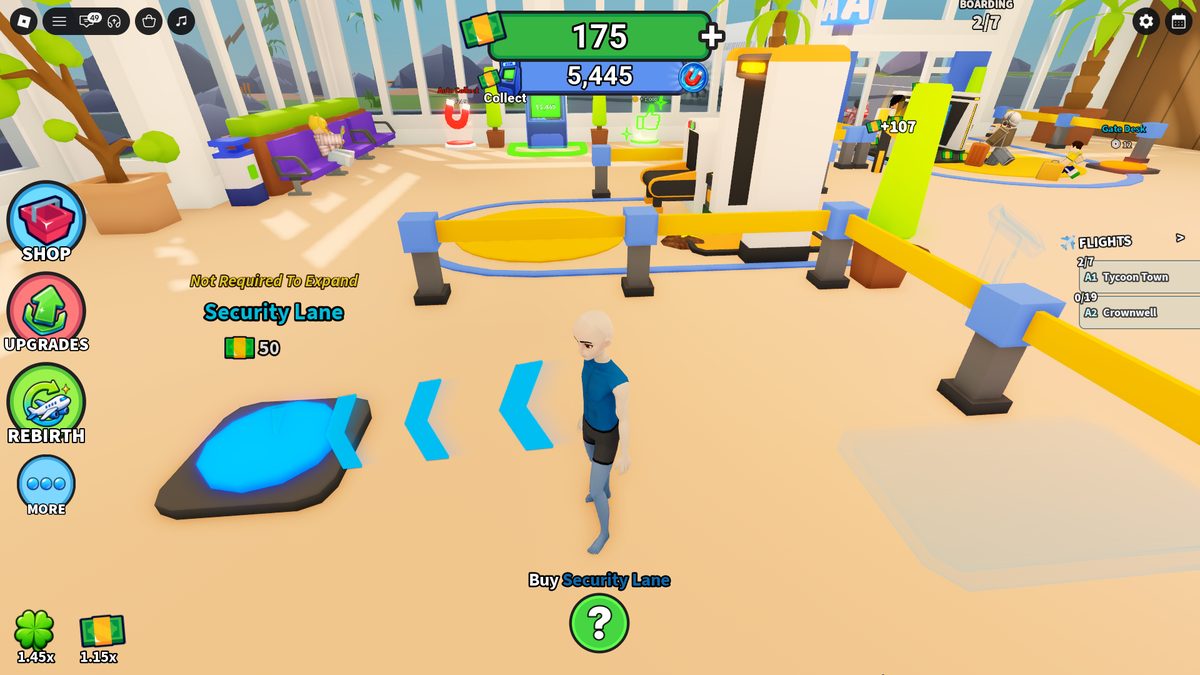
A second Security Lane is bought for $50, the button reads "Not Required To Expand". The new lane starts at L1 — no staffer, the player scans manually again (~46 min). Second-lane upgrades: $350 → $900 → $1,800 → $2,900. Cleaning Supplies $390 creates a room and an NPC janitor: it finds piles on its own and clears them one by one (not all trash at once). After that manual cleaning stops being a required part of the loop.
Second Security Lane $50. A blue button labeled "Not Required To Expand".Return to manual work. On the new lane the player scans a passenger by hand again. Above the NPCs: Steven Anderson 1/50 $184, Michael Wilson 1/15 $115.
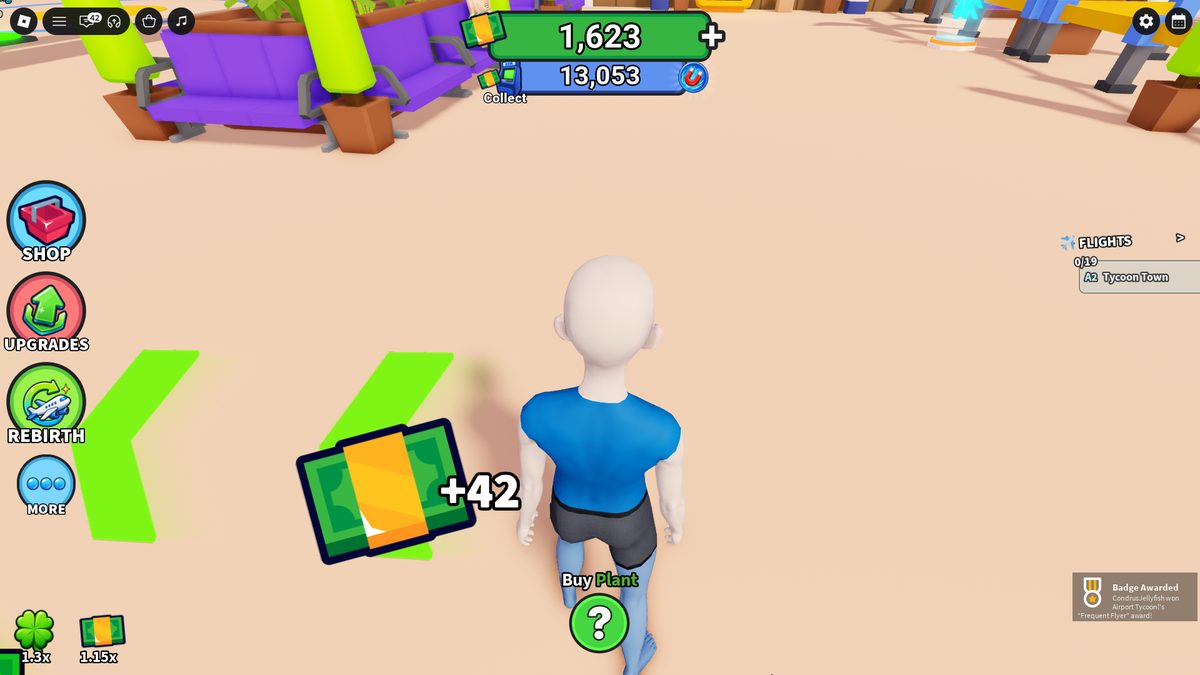
NPC janitor. After Cleaning Supplies $390 the staffer walks to a pile and clears it; other piles remain nearby (handled sequentially). Left — the Information Desk with 3 NPCs.Parallel notifications. A +$42 money float and the Frequent Flyer badge appear at the same time.
A13
Runway, late interior, second Expand
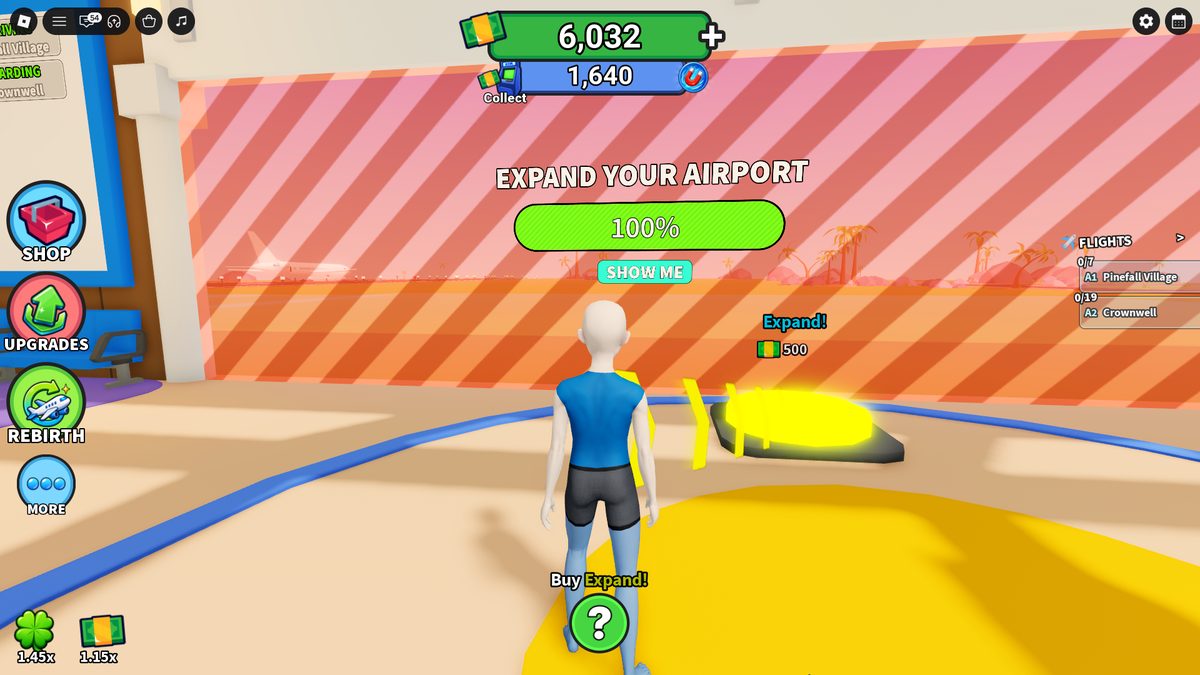
Runway L1→L2 $2,500 (respawn 12→11.4s): before purchase the runway is black, after — with painted lines; destination milestones are checked automatically and a new destination opens. L2→L3 $5,000 (11.4→10.8s); 5 levels total. Late interior: Seating $160, Ceiling $160, Interior Lighting $50, Chandelier $230, Hanging Light $230, Restroom Doors $230, Signs $80, Restroom Interior $80 (one purchase per stall). At 95% Flight Status Boards appears (a blue button). A second Expand $500 at 100% opens the next area with pricier buttons.
A14
End state and exit
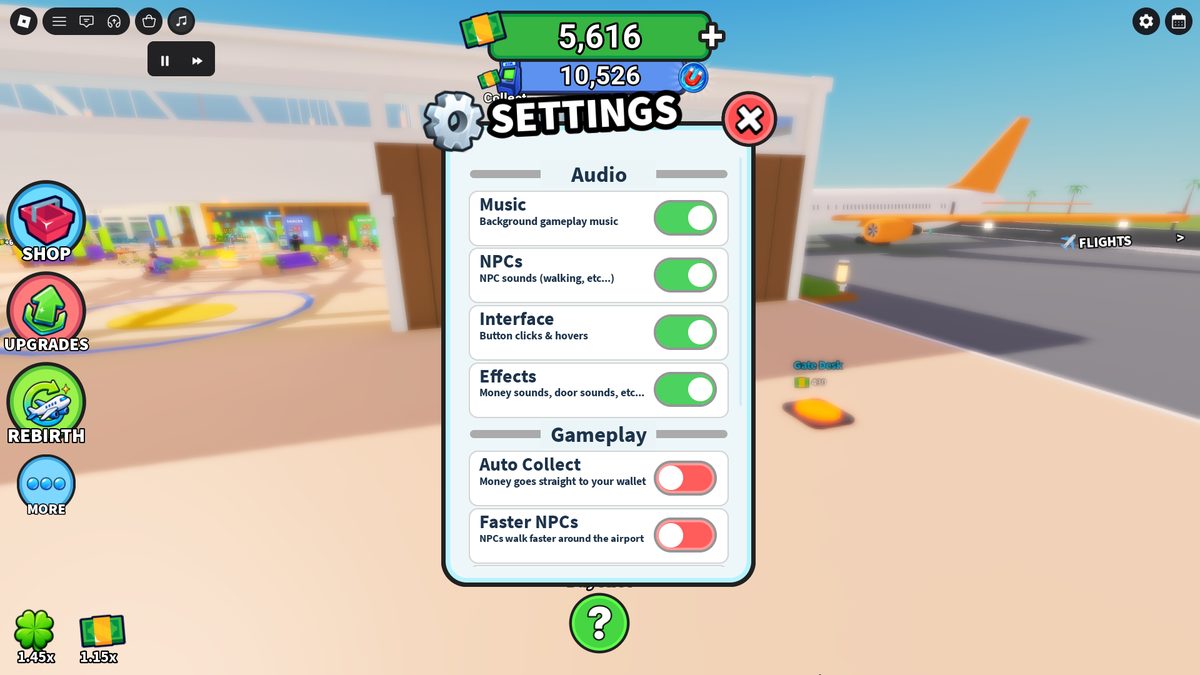
At this point: luck 1.45x, money 1.15x; Security and Gate upgraded; Café and Blossom Boba upgraded; two Security Lanes running; planes fill and depart automatically; the janitor clears trash; the first rebirth still needs $150,000. Settings splits audio into buses: Music · NPCs (footsteps) · Interface (clicks/hovers) · Effects (money/doors); gameplay toggles Auto Collect and Faster NPCs.
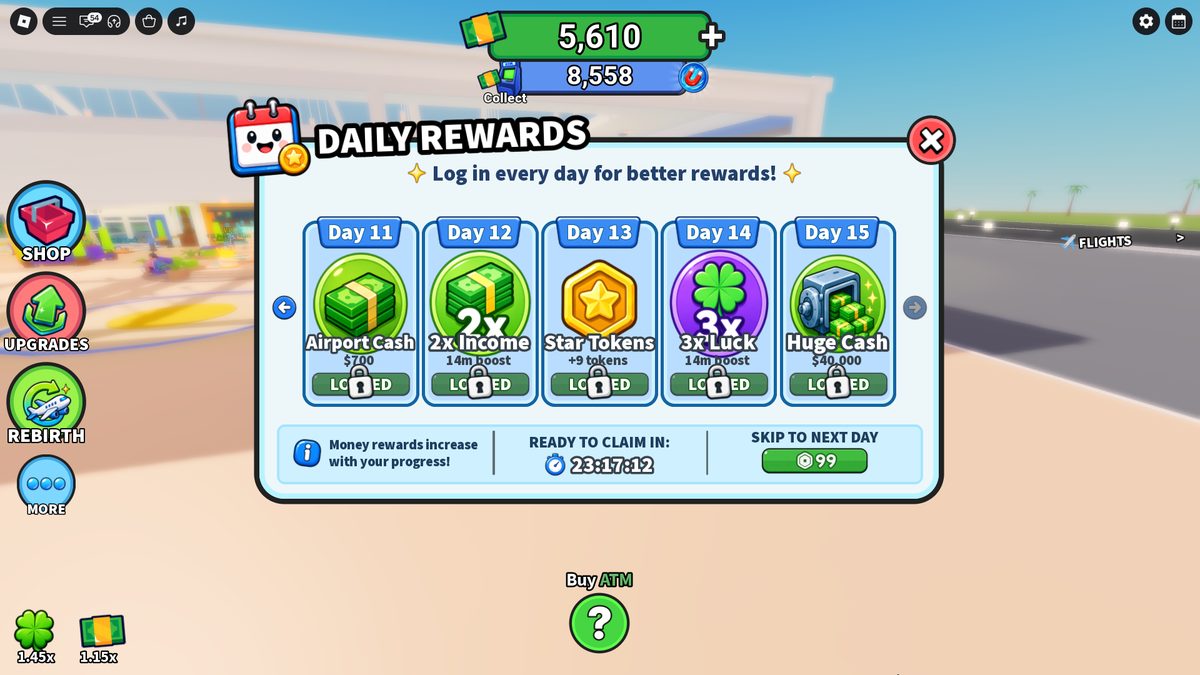
Daily Rewards 11–15. Day 11 Airport Cash $700 · Day 12 2x Income 14m · Day 13 Star Tokens +9 · Day 14 3x Luck 14m · Day 15 Huge Cash $40,000. Ready 23:17:12. Skip to Next Day R$99.
Part B
System developments
Cycles, level matrices and data pulled out of the chronology for accurate reconstruction.
B1
Passenger and plane cycle
Above a passenger are a name, a counter of the form 1/N, and a cash value. The value varies and $0 occurs.
Passenger
1/N
Value $
Michael Wilson
1/15
115
Steven Anderson
1/50
184
Donald Wilson
1/50
88
Dorothy Jones
1/15
55
Dorothy Thomas
1/15
0
Emily Johnson
1/50
0
car arrives → group gets out → NPC gets name/1-N/value → Security queue → manual (L1) or auto (L2+) check → visits Vending/Boba/Café (may queue at Amenities) → money to ATM → Gate Desk queue → processing → Boarding X/Y +1 → plane full → leaves the gate → taxi to Runway → takeoff → next-plane respawn timer
Plane capacity develops 3 → 7 → 19 — 19 is not the base spec but a late level.
A1 and A2 run at once with separate Boarding counters.
B2
Trash cycle and the dual-automation model
Trash is a secondary objective between construction and passenger service, not the core loop of Airport Tycoon.
a random pile appears in a built zone (dirt + banana) → stays on the map → more may appear nearby → the player notices it while building → walks up → holds E → a rising spinning sound + a circular meter → the pile disappears → +$6 → repeat → Trash Cans do not stop the spawn → up to 6 piles in one area → Cleaning Supplies $390 creates a janitor → the janitor finds and clears piles sequentially
First appearance ~12:56; repeats in new spots (incl. by Security).
Accumulation: 2 in one point → later 4 → 5 → 6 piles at once; each handled separately.
Trash Cans ($10/$20/$30/$120) are building objects; piles continue to appear after they are purchased.
The dual-automation model. The game applies one scheme twice: manual player work → learn the action → buy/unlock an NPC → automation. Early on — Security and Gate Desk (free, $0). Later — trash cleanup (Cleaning Supplies $390). Both automations are structurally identical.
B3
Upgrade matrices
Security Lane 1
Process
Flow /min
Transition price
L1 (manual)
3.6s
17
—
L2
2.5s
24
$0 (FTUE)
L3
1.8s
35
$800
L4
1.2s
50
$1,500
Maximum Security Lane 1 performance: 0.9s, 71 passengers/min.
Gate Desk 1
Process
Flow /min
Transition price
L1
3.0s
20
—
L2
2.1s
29
$0 (FTUE)
L3
1.5s
41
$370
L4
1.0s
58
$800
L5
0.7s
84
$1,300
Blossom Boba / Café
Use
$ / passenger
Transition price
L1
3.2s
$8
—
L2
2.3s
$10
$150
L4
1.2s
$16
$600
Amenity performance: L3 — 1.7s and $13 per passenger; L5 — 0.9s and $20.
Runway: L1→L2 respawn 12→11.4s ($2,500) · L2→L3 11.4→10.8s ($5,000) · 5 levels total. Runway doesn't speed up passenger processing — it shortens the gap between planes and opens destinations.
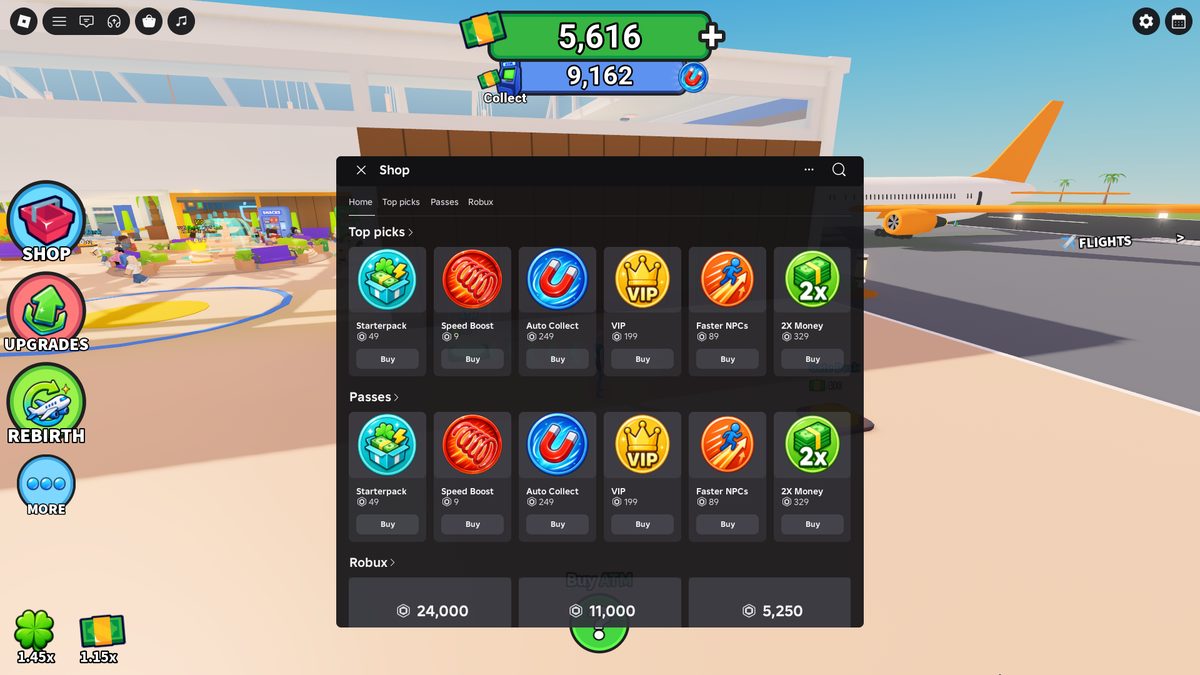
3X Luck price conflict. The Shop shows R$349, a separate Luck window — R$599.. The Income window also shows: Money Boost +100%, 2X Money R$329, Roblox Plus +15% R$599, Play With Friend +10%, Play 15 Minutes +15%.
B6
Destinations, zones, rebirth, Index, navigation
Destinations
14 total. Tycoon Town $35, Pinefall Village $55, Isla Brisa $155; Frostfjord and Crownwell opened; Dunecrest is in the list (price occluded). A flight opens by milestone (not purchase): the screen considers Total Departures · Number of Gates · Runway Level · Pick Chance.
Rebirth
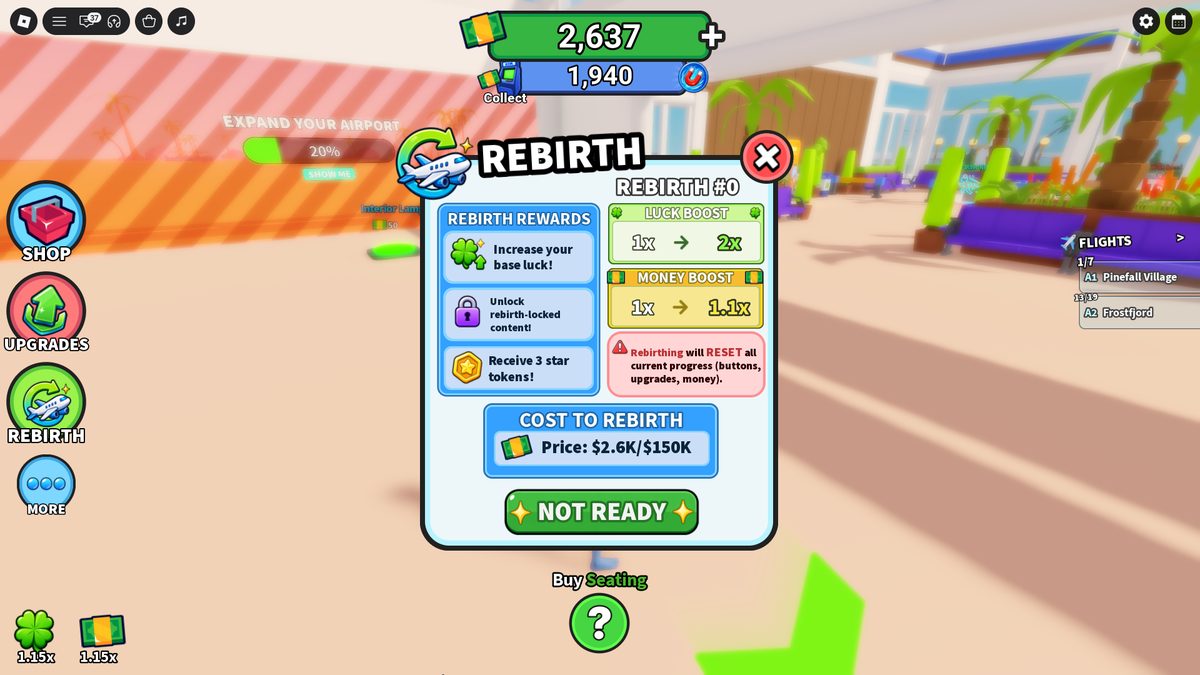
Cost $150,000; resets buttons/upgrades/money; rewards: base luck 1x→2x, money 1x→1.1x, 3 Star Tokens, access to rebirth-locked. Totems (street plaza): Lucky Spinner (1 rebirth), Ghost Crew (3); leaderboards Total Rebirths / Total Departures.
More (5 items) and zones
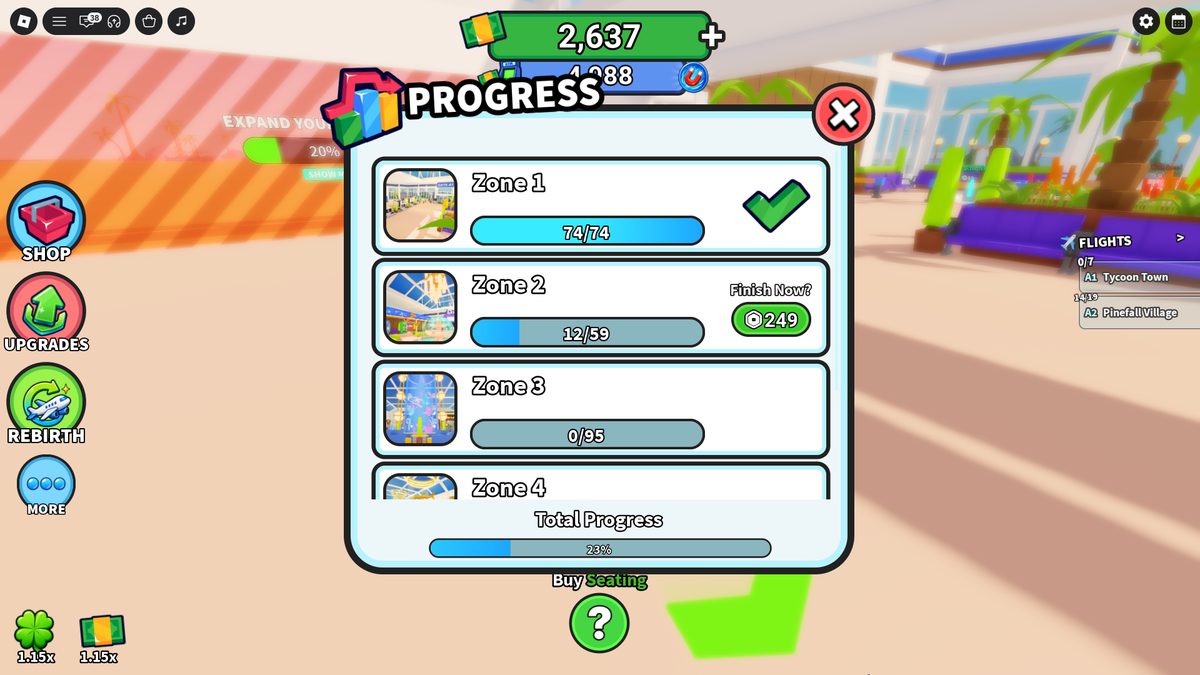
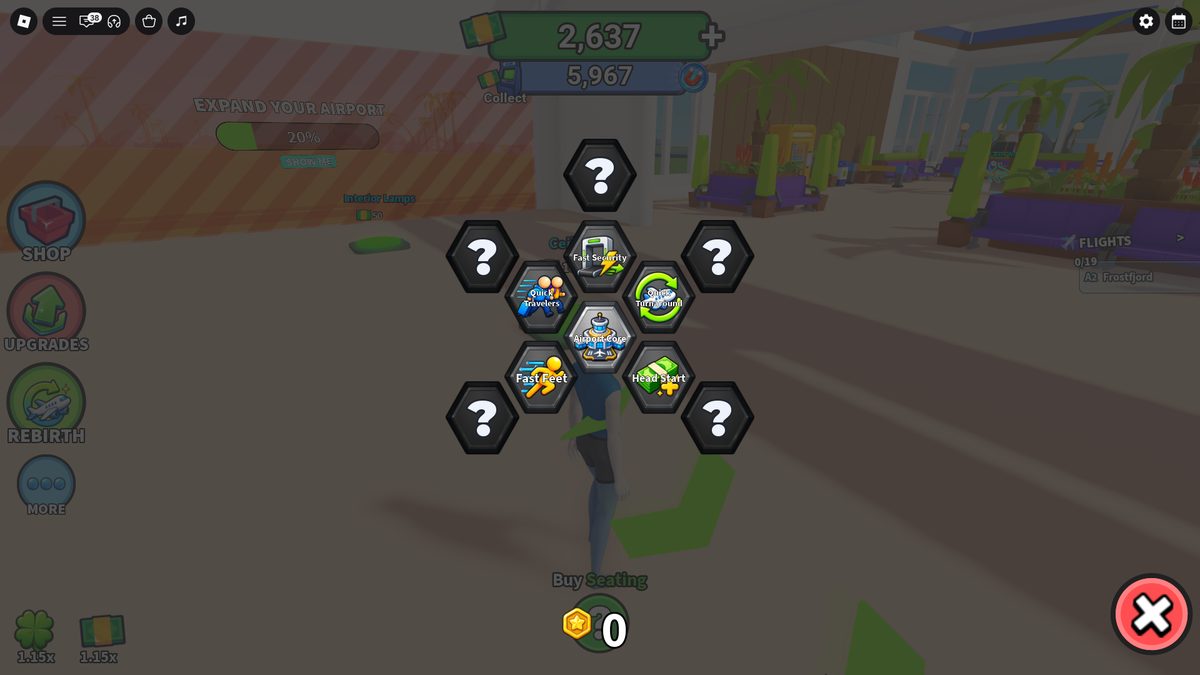
Destinations · Visit · Index · Progression · Rebirth Upgrades. Progression: Zone 1 74/74, Zone 2 12/59, Zone 3 0/95, Zone 4, Air Traffic Control; total 23%. Finish Zone — R$249. Tree: Airport Core $0, then 1 Star Token each (Head Start, Quick Turnaround = faster respawn, Fast Security, Quick Travelers, Fast Feet).
Navigation (color code)
Green arrows → the mandatory next button; yellow button → Expand; blue pads → service nodes; purple highlight → money building; orange pad → Robux purchase.
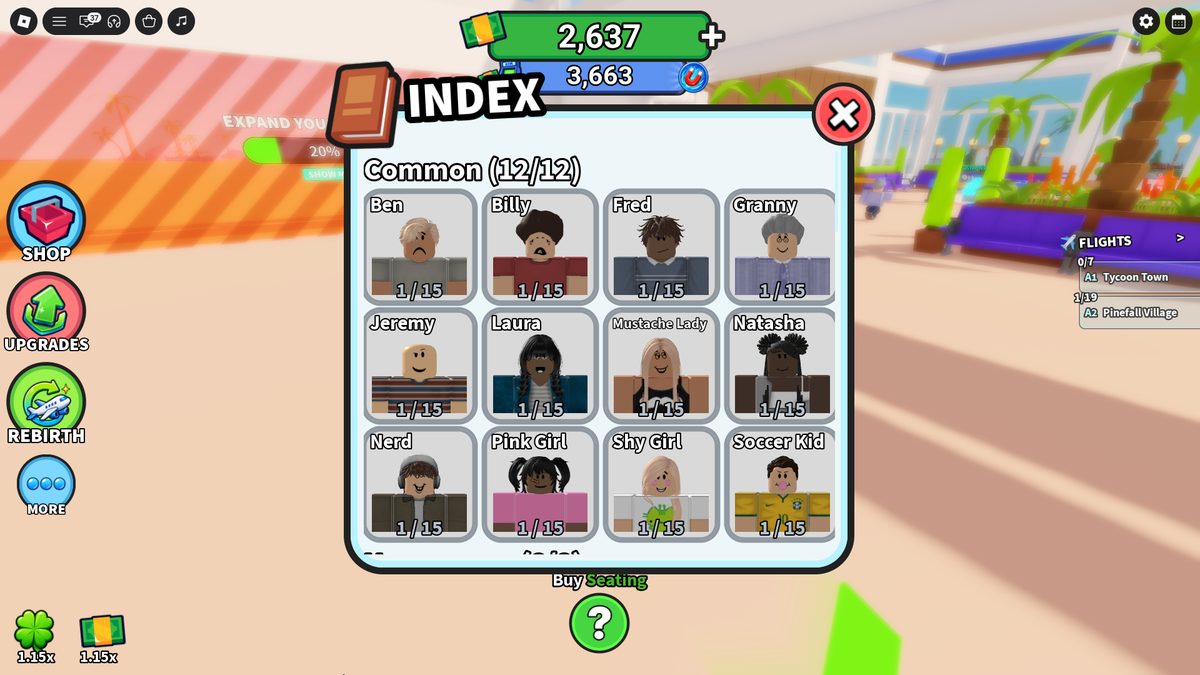
Index. Passengers by rarity common → secret (a Legendary appeared during the shown progression).
Rebirth $150,000. Reset + base luck 1x→2x, money 1x→1.1x, 3 Star Tokens.Progression. Zone 1 74/74, Zone 2 12/59, Zone 3 0/95, … Air Traffic Control; total 23%.
Star Token tree. Airport Core $0; outer nodes 1 Star Token each.
Server services: Plot allocator · Build (validates prerequisites/price, prefab, children, zone %) · Passenger spawner (cars in groups; value and destination from multipliers and milestones) · Route (Security → Amenities → Gate, queues with timeouts) · Service sim (reserves a slot, waits processSeconds) · Flight (boardedCount → takeoff → respawn) · Economy (separate wallet and ATM-pool, money multiplier, per-credit source log) · Upgrade (level data tables) · Trash (spawn independent of queues, hold-to-clean + janitor) · Progression (destinations/Index/zones/Daily/Rebirth/Star tree) · Autosave (interval + BindToClose, offline-delta separately).
Slice checks: a newcomer with no hints goes car→manual security→manual gate→ATM→free automation; a slow Security grows the queue, an upgrade clears it without losing NPCs; after $105+$300 there's no wall before Vending $70; at X=Y the flight closes, Total Departures +1; Runway L1→L2 = respawn 12→11.4s + a new destination; $150K rebirth resets buttons/upgrades/money, keeps meta, grants 3 tokens; after reconnect pads/levels/multipliers/index/daily/rebirth-tree are restored.
Juice (required reactions per purchase): translucent preview → part-by-part assembly → a distinct sound → child pads open → zone % rises. Plus: the "typing" animation at the Gate; cash packs into the HUD on an ATM collect; badge + victory sound on Expand; a rising cleanup sound; a roof after interior lighting; painted lines on the runway after a Runway upgrade.
Part C
Interface: HUD and menu structure
The interface is broken down by screen area and user flow. Each image sits next to the elements and states that need to be reproduced.
C1
HUD during regular play
The HUD keeps the center clear for movement and construction. Persistent data is anchored to the edges; the next objective is connected to the world through arrows and labels above pads.
HUD with no menu open. Top: wallet and ATM pool. Left: four menu entries and multipliers. Right: FLIGHTS. Bottom: current construction objective. World: colored pads and prices.
Top center · economy
Green wallet — money available for purchases. The + button opens Money. Below it, the blue ATM pool holds earned but uncollected income. The magnet indicates Auto Collect.
Left edge · primary navigation
Four round buttons in a fixed order: Shop → Upgrades → Rebirth → More. Luck and money multipliers are shown below as separate values rather than mixed into the balance.
Right edge · flight state
FLIGHTS keeps separate A1/A2 rows with destination and Boarding X/Y. The panel does not open another screen; it updates as passengers move through the terminal.
Bottom · next objective
Buy <object> and Show Me are linked to the green world arrow. After a purchase, the label changes to a specific child in the construction graph; at 100%, it changes to Expand.
World-space UI
Each available pad shows a name, price, and type color. Green — required cash branch; yellow — Expand; blue — service; purple — money/luck; orange — Robux.
Roblox CoreGui
The Roblox menu, chat, voice, backpack, and system purchase overlay belong to the platform. They are not custom Airport Tycoon UI.
C2
Shop: four tabs on one shell
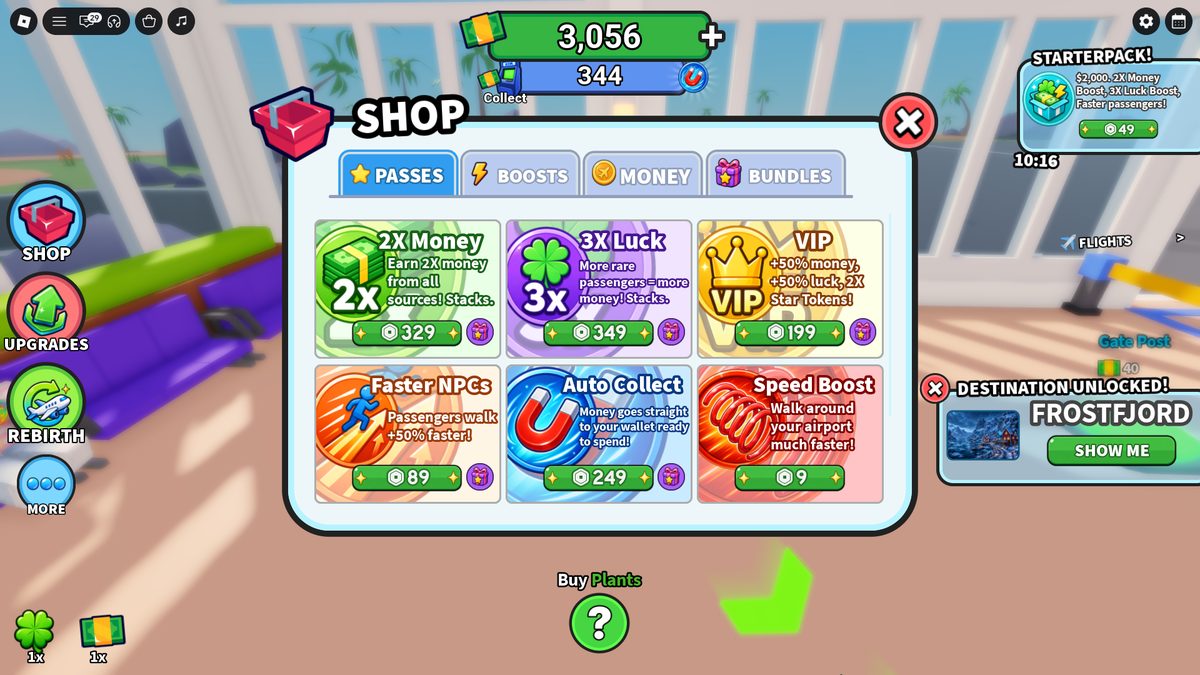
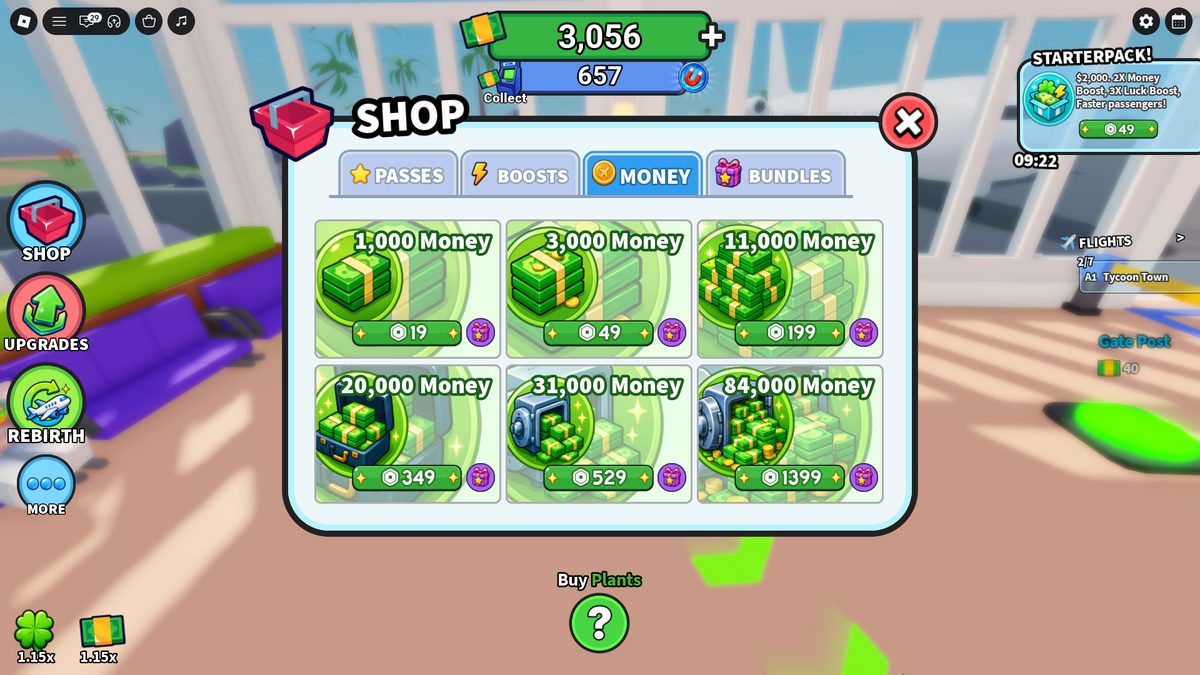
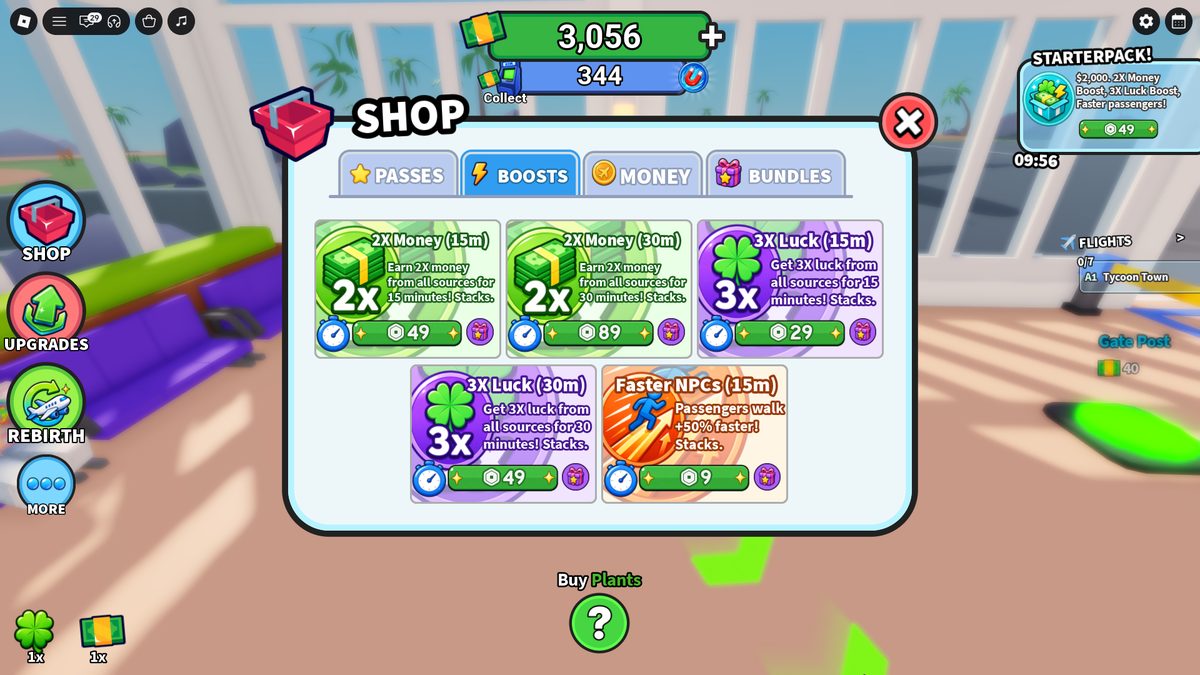
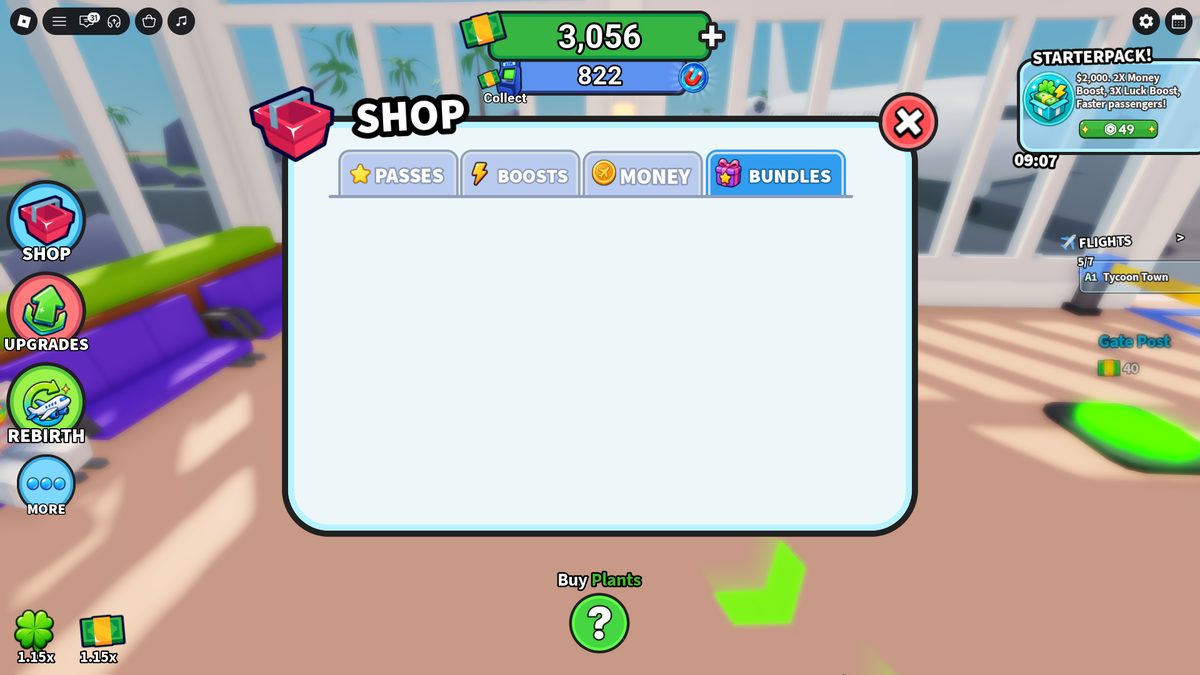
Shop is a centered window without a full-screen dimmer. The title and red X stay fixed; tabs replace only the product grid. The world, HUD, and current offer remain visible around the window.
Passes. A 3×2 grid. Each card contains a type color, icon, name, short effect, and green Robux price; some products also have a gift icon.Boosts. The same grid, with duration and Stacks added to each card. The 15- and 30-minute versions sit next to each other.
Money. Six cash packs are sorted by value from left to right and top to bottom: $1,000 → $84,000.Bundles. The tab uses the same shell but contains no cards. The empty state has no separate placeholder.
Shared structure: large category icon to the left of the title · active tab in blue · price anchored to the bottom of each card · fixed X on the right · content does not cover the whole HUD.
States: selected tab · standard card · timed card · giftable card · empty tab · Roblox system confirmation.
C3
Upgrades: category → list → detail
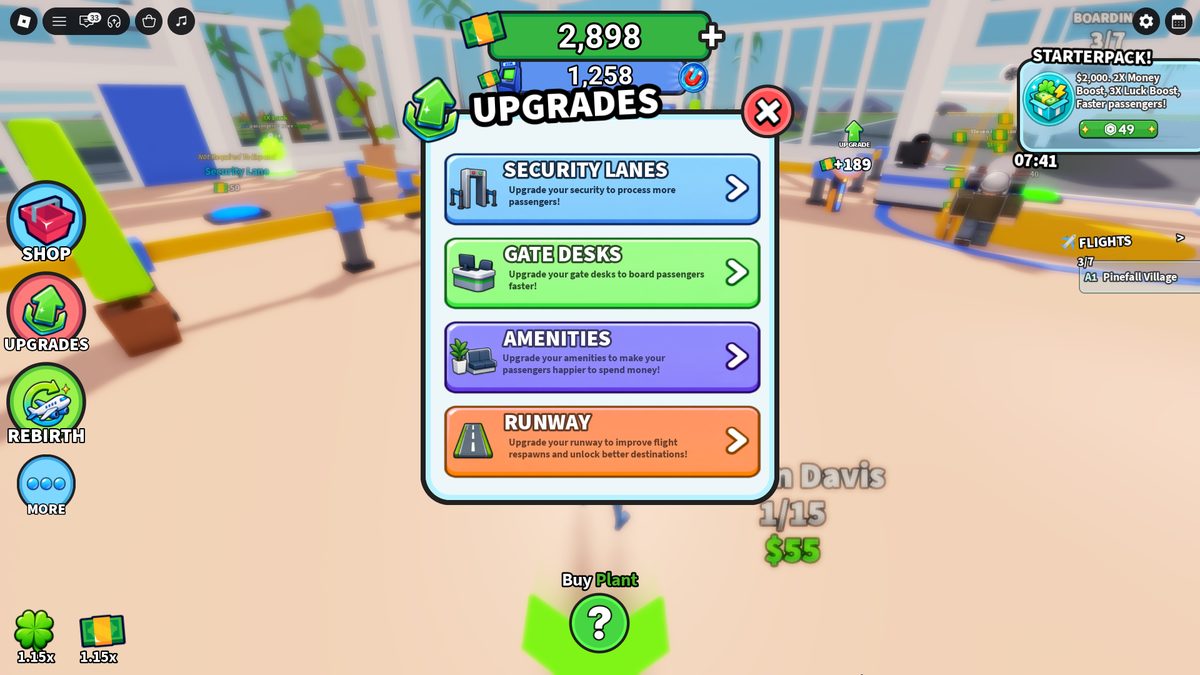
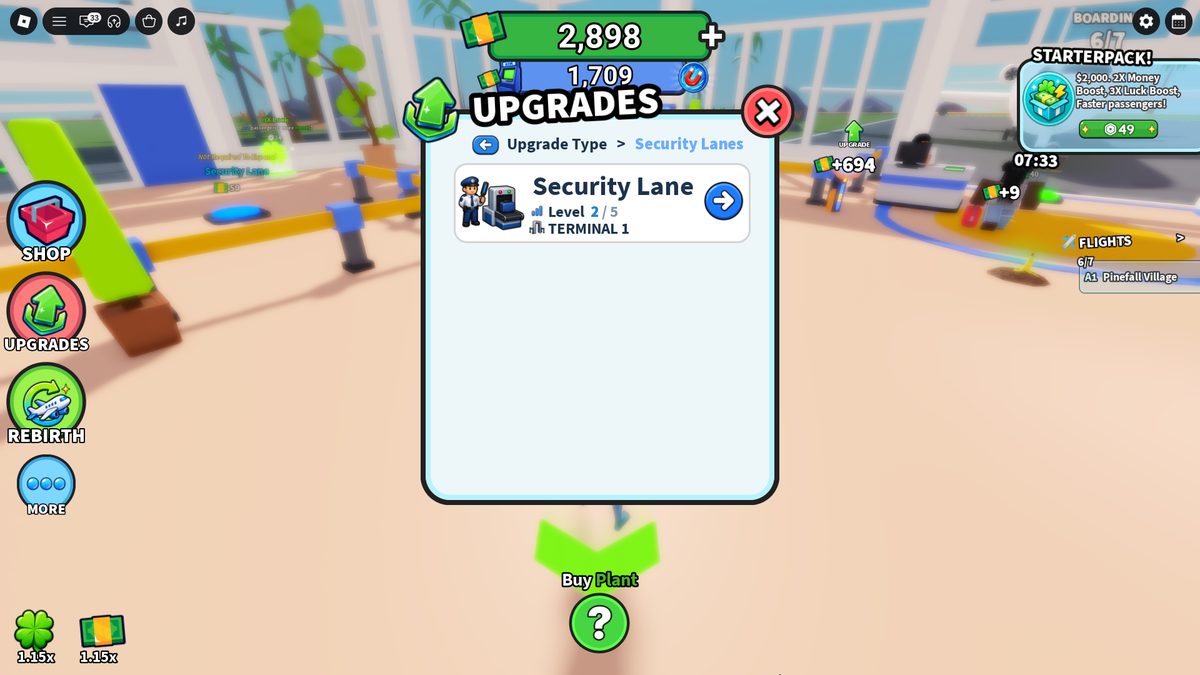
The menu uses three repeatable levels. New station types can be added through data; each station does not need a separate custom screen.
Level 1 · categories. Security Lanes, Gate Desks, Amenities, Runway. Color, icon, and a short benefit statement distinguish the types.
Level 2 · list. Breadcrumb, back button, station name, Terminal, Level X/5, and an arrow to detail. A second row appears after a second station is built.Level 3 · detail. Current and next level, Process Speed 2.5s → 1.8s, Passenger Flow 24/min → 35/min, the model change, and Upgrade $800.
Security / Gate
Detail shows two linked metrics: operation time and calculated passengers per minute. The price is paired with the change in both values.
Amenities
Shows Use time and cash per passenger instead of throughput. The category stays empty until Café or Blossom Boba is built.
Runway
Shows plane respawn and destination progression. The upgrade does not change Security or Gate throughput.
Navigation
The breadcrumb and blue back button return one level; the red X closes the entire menu from any level.
C4
Progression, Rebirth, Daily, and Settings
Meta screens reuse the same shell but switch the inner pattern: progress list, node tree, paginated calendar, or vertical toggles.
Progression. Vertical zone list with numerator/denominator, total completion, and Finish Zone R$249. Completed, active, and locked states are readable without returning to the world.Rebirth Upgrades. Airport Core in the center with radial nodes. Locked items use a question mark; Star Tokens are shown at the bottom.
Daily Rewards. Five days per page, pagination arrows, Claimed/Locked states, countdown, and Skip R$99 in one bottom strip.Settings. Audio: Music, NPCs, Interface, Effects. Gameplay: Auto Collect, Faster NPCs. Toggles are green when on and red when off; the panel scrolls.
Platform overlay. The dark Roblox grid above the game is not part of the custom shell. It belongs in the purchase flow as a system step and should not be rebuilt as custom UI.
Implementation rule. Document the HUD separately from menus. For each menu, specify: entry point → hierarchy → components → data/prices → selected/locked/disabled states → scroll/pagination → back/close. Pair the image with a direct breakdown of its elements and states.
Part D
SFX, VFX, and animation by interaction
Each interaction is split into active layers: SFX → VFX → object animation → UI change → camera and duration. Images show the action itself or a before → after sequence.
D1
Construction, purchases, and money
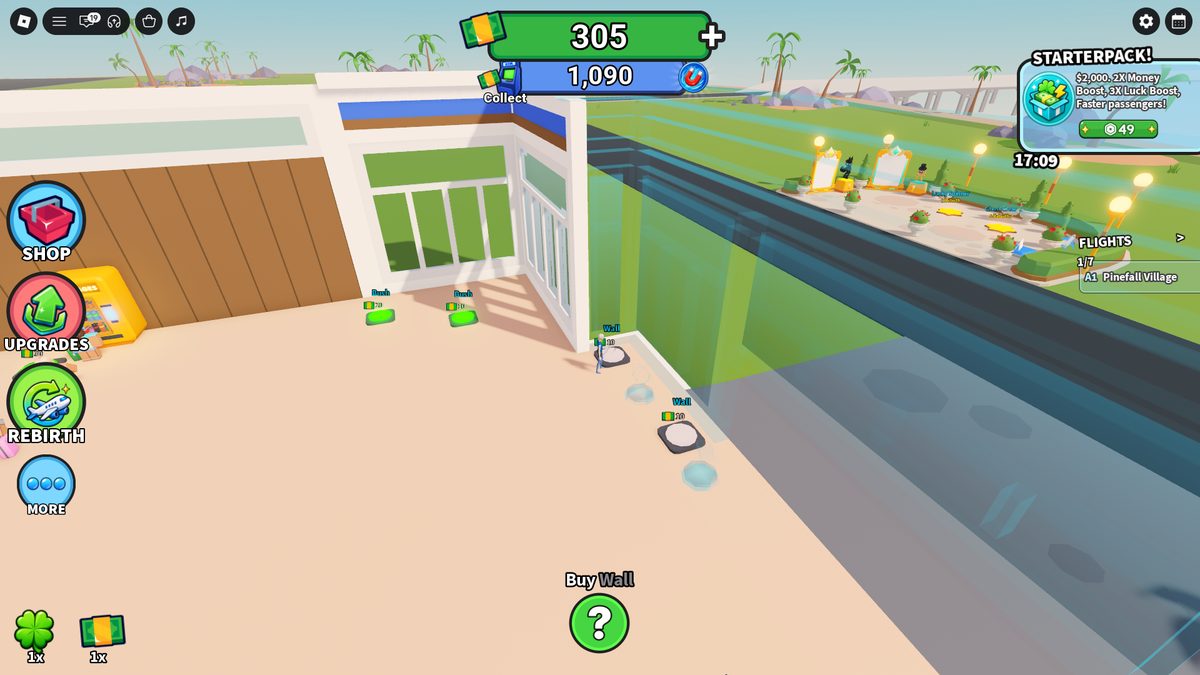
Before purchase. Transparent walls preview the future geometry; active Wall $10 pads remain beside them.After purchase. The wall becomes part of the terminal; Plant $10, Entrance Door $10, and the next route arrows appear.
Upgrade. Current level, new metrics, and action price are visible on one screen.ATM Collect. The blue accumulated balance becomes green wallet funds through a stream of cash packs flying to the HUD.
Object purchase
SFX short confirmation sound synchronized with the start of assembly.
VFX transparent preview before payment; parts appear in sequence.
Animation prefab assembles from separate parts over ~0.5–1.5s.
UI price is deducted, pad disappears, children appear, zone completion rises.
ATM Collect
SFX a series of money effects on the Effects bus.
VFX several cash packs fly from the ATM to the top HUD.
Animation the number of packs scales the perceived size of the collection.
UI the blue pool decreases while the green wallet increases.
Upgrade
SFX short Interface click when Upgrade is pressed.
VFX current/next metrics update without closing detail.
Animation a staff member appears on L1 → L2; station position stays fixed.
UI Level, price, seconds, and throughput update immediately.
D2
Passenger service and flights
Security. Passengers wait at the work point; Captain directs the player to perform the check manually.Gate Desk. The player sits at the computer; processed passengers continue to boarding.
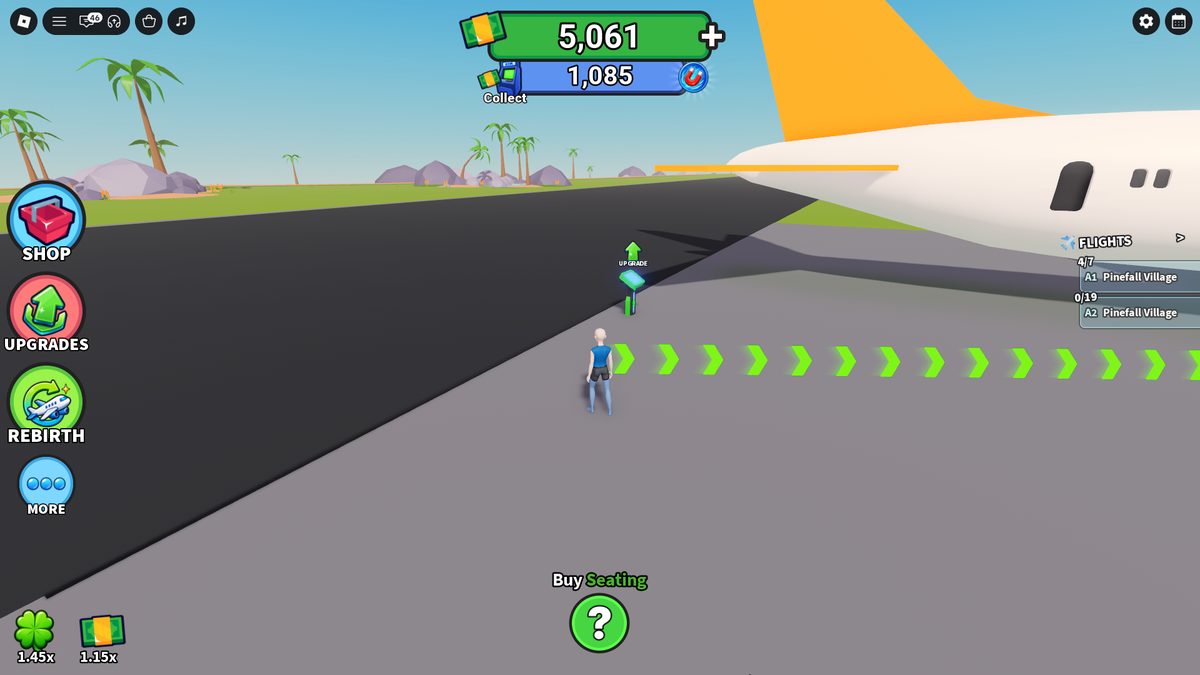
Boarding. A passenger clears Gate Desk, walks to the plane, and increments the separate A2 X/19 counter.Runway before upgrade. The strip remains black; the upgrade pad sits along the route to the plane.
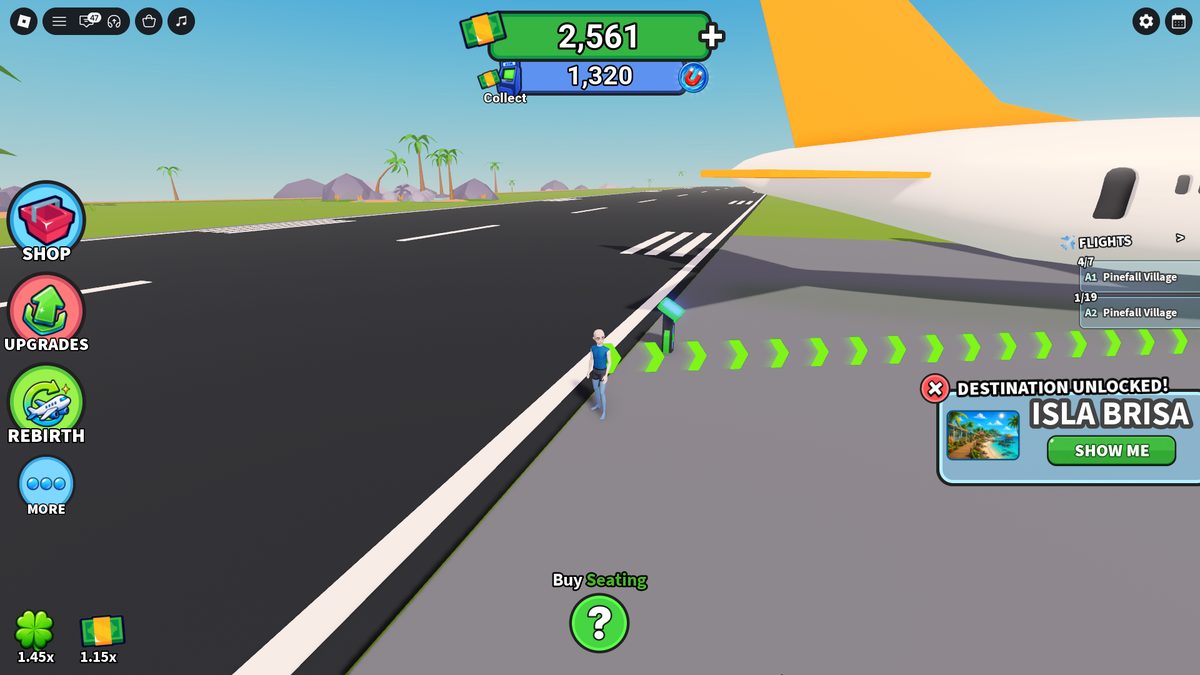
Before. Runway L1 has no markings.After. White markings appear on the strip; Isla Brisa is unlocked on the right.
Manual Security
VFX E prompt and action progress.
Animation passenger locks to the work point; the scanner completes one cycle.
UI tutorial advances to Gate Desk; L1 takes 3.6s.
Manual Gate Desk
VFX E prompt disappears on completion.
Animation avatar types; passenger changes route to the plane.
UI Boarding X/Y increases; L1 takes 3.0s.
Amenity service
VFX cash value appears above the passenger.
Animation NPC occupies the point for useSeconds, then leaves.
UI ATM pool increases; L1 → L5 income: $8 → $20.
Boarding and takeoff
VFX FLIGHTS updates X/Y; a full flight is replaced.
VFX compact card on the right with a destination image.
Animation the world keeps running beneath the popup.
UI destination name, Show Me, and X; controls remain available.
D3
Expand, rewards, menus, and secondary cleanup
Expand. The yellow pad shows 100% and a $500 price before the next area opens.Reward state. Reward type, Claimed/Locked state, and the next countdown share one screen.
Before. The pile remains in the world; Clean starts by holding E.After. The pile disappears and +$6 appears above the player.
Late automation of a secondary task. The janitor selects one pile, walks to it, and only then selects the next.Audio categories. Settings separates Music, NPCs, Interface, and Effects; clicks and hovers belong to Interface.
Expand
SFX short success accent when the area opens.
VFX yellow pad disappears and the zone boundary is removed.
Animation new root pads and movement direction appear.
UI 100% is locked in; the objective changes to the first button in the new zone.
Daily Reward
VFX the card changes to Claimed; future rewards stay Locked.
Animation short reveal with no change to the world.
UI cash, boost, or tokens are awarded and the countdown begins.
Menu click / hover
SFX Settings assigns clicks & hovers to Interface.
VFX selected tab changes color; toggle switches between green and red.
Animation the shell remains while the inner panel changes.
UI transition takes less than a second; camera does not move.
Manual cleanup
SFX rising rotating sound during the hold.
VFX circular progress around E and +$6 on completion.
Animation one pile disappears after a full hold cycle.
UI wallet increases by $6; the system does not block the core loop.
Janitor
VFX uses the same pile-disappearance result.
Animation path to one target → clean → select next target.
UI no separate panel appears; automation is visible in the world.
Offer popup
VFX card appears on the right or bottom without covering the objective.
Animation the simulation continues in the background.
UI product, price, timer/Show Me, and a dedicated close button.
Part E
What to take into development
Components with an observable effect and a testable minimum implementation.
E1
Prototype priorities
P0
Manual action → free NPC
Effect: the player understands Security and Gate Desk before automation.
Minimum: one manual E cycle for each; L1 → L2 for $0 adds a staff member.
Acceptance: after both upgrades, a passenger completes the route without the player.